

There is no direct way to convert OLM files to MHT. You need to use a reliable OLM to MHT converter tool from a trusted brand like SysTools. Next, open it and add your OLM file or the whole folder. Then set a date range. Select some items if you want fewer emails. Select MHT as the export format and choose a destination folder. Then click Export.
You have an OLM file and no Outlook for Mac to open it. This is a real headache. Converting your OLM files to an MHT file fixes the problem. Because MHT keeps each message and its images together inside a single document. We have covered “how to convert OLM files to MHT file format easily” in this guide.
Why Do Users Export OLM Files into the MHT File Format?
Many users convert OLM to MHT file types for a few simple reasons.
- Easy Sharing: Each email gets stored in a single file. So users can easily send specific messages quickly.
- No Email App Required: Anyone can open MHT files using a web browser.
- Simple Audits: Legal teams and businesses can keep emails as audit proof.
- Safe Backups: Users can back up safely in a standard format. This does not depend on one app.
- App Migration: OLM files only work in Outlook for Mac. And MHT files work almost anywhere.
- Better Organization: Users can easily search the Individual files, rename and sort into folders.
- Complete Messages: Images and formatting stay bundled inside a single MHT file.
Whatever your reason is but the goal is simple. That is convert OLM files to MHT and keep your emails easy to read.
Can You Convert OLM to MHT Manually?
- There is no direct method for this. Outlook for Mac saves mailbox data as OLM and offers no setting to export OLM emails to MHT.
- Built-in import and export functions only support the OLM format.
- Using a trusted OLM to MHT converter keeps the process quick and reliable. A dedicated tool automates the task and prevents data loss.
- Make sure you avoid unverified sources. Use a reputable tool that offers 20/7 customer support.
- Follow the simple tool recommendation and easy steps below to convert your OLM files into MHT format.
Convert OLM Files to MHT Format Using Specialized Tool
SysTools OLM Converter Tool is a quick, reliable and user-friendly tool. Many users trust on this. It handles bulk conversions and using this you can save OLM files into 12+ other formats like HTML, PST, MSG, PDF etc as well as it is compatible with Windows and Mac both. It has 24/7 customer support for every user.
Download this tool and follow the steps below.
5 Easy Steps to Convert Mac Outlook OLM Files to MHT File
1. Install and open the tool.
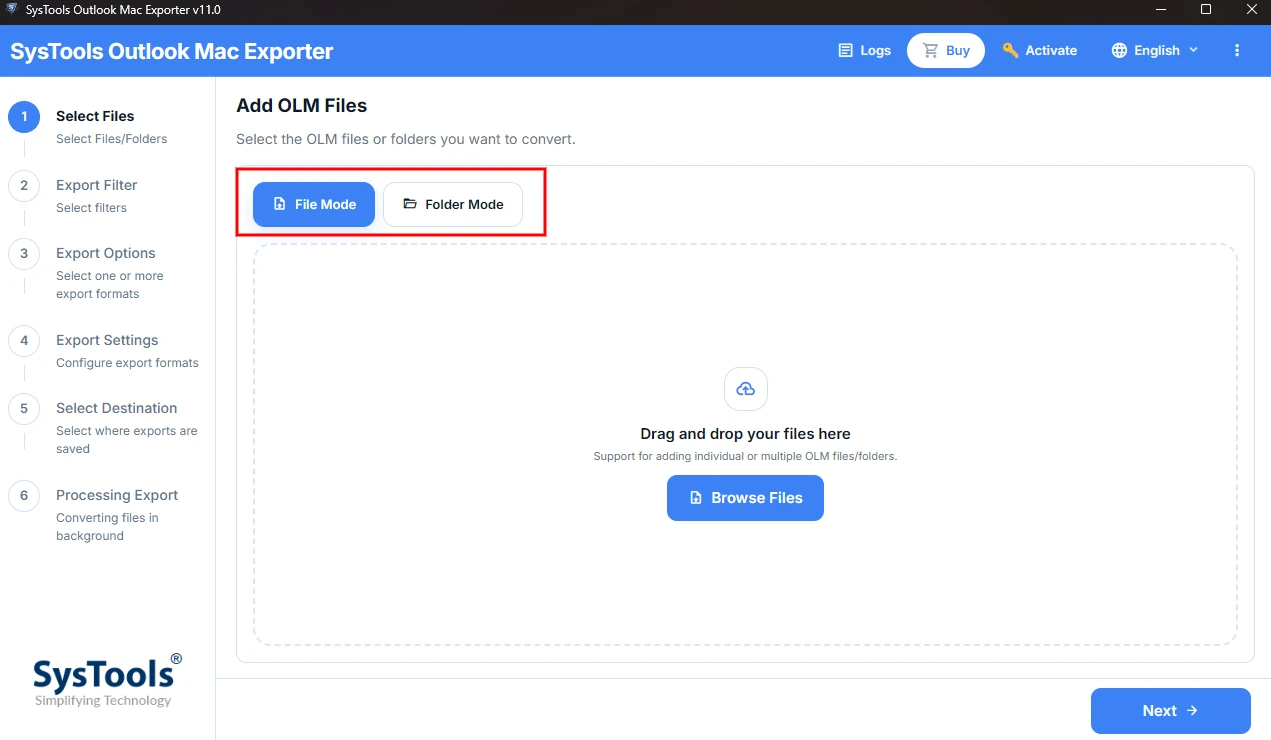
2. Add OLM file you want to convert using the Add File or Add Folder Option.
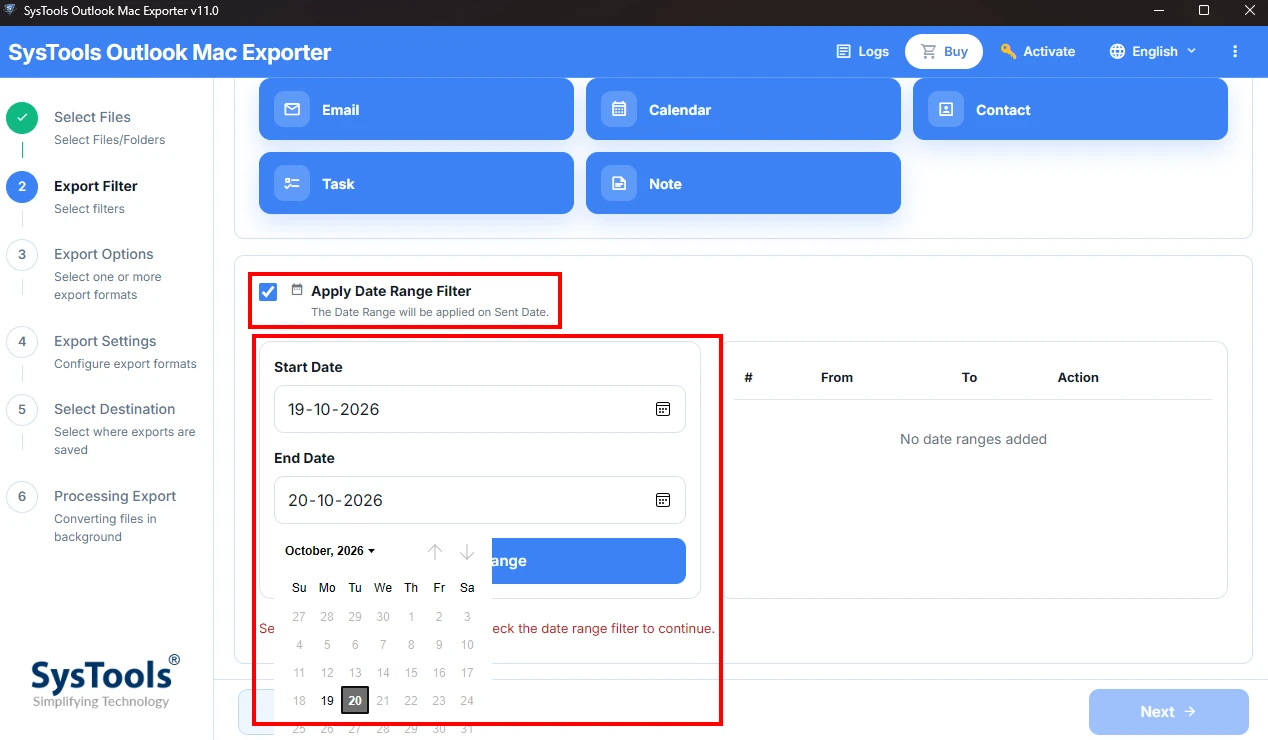
3. Apply a date filter if needed.
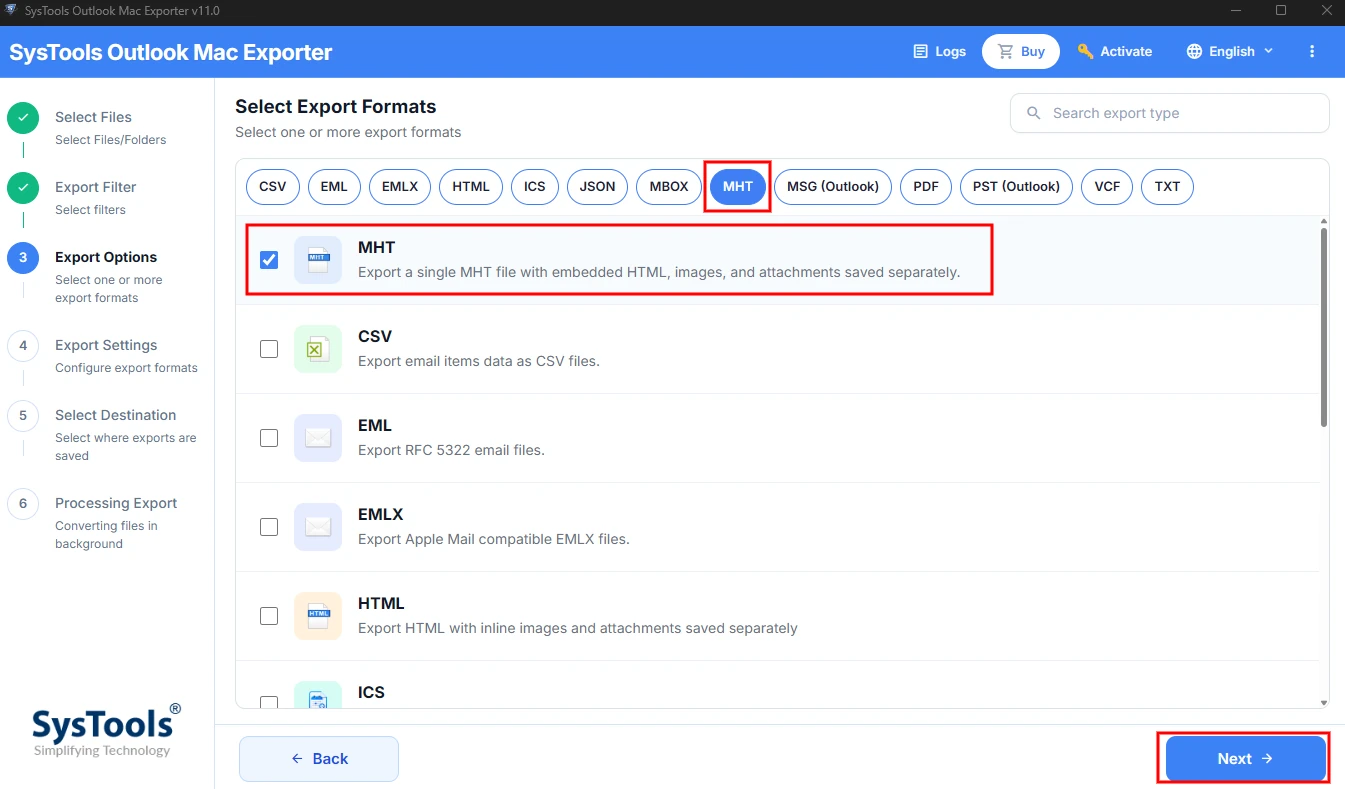
4. Select MHT from the list of export formats.
5. Choose a destination folder with enough space. Then click Export.
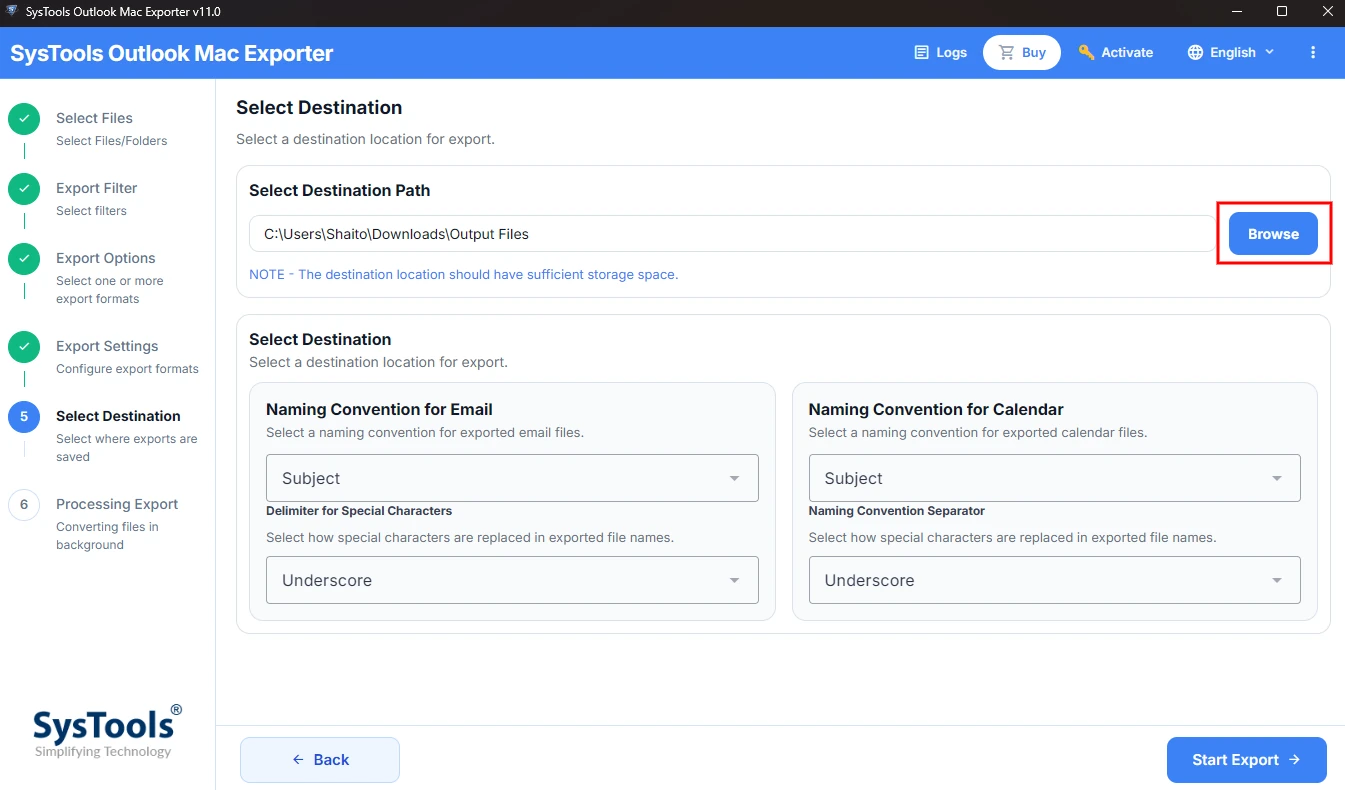
A progress bar tracks the export process. Once the confirmation message appears then open your output folder. Find your converted MHT files with all attachments.
Why Choose This Approach?
This converter tool does more than export OLM emails to MHT. Here are some key features of this tool.
- You can convert OLM to HTML, ICS, PDF, MSG and many other formats.
- It lets you preview the OLM file data before the conversion starts.
- This tool offers user-friendly interface. You do not need technical skills to use it.
- Keep your original files safe and unchanged.
- Offers 24/7 customer support for your queries.
- It is fully compatible with all versions of Windows and Mac. Also it does not require internet connection.
Also Read: Convert OLM to Text File
End Note
It is easy to export OLM files in the MHT file format. You just need a right approach. Now you understand why the MHT file format is useful and Outlook for Mac offers does not offer direct manual method. Using a trusted converter lets you convert OLM files to MHT in just a few clicks. Your emails become accessible in almost all web browsers. It saves you time and removes the headache of unreadable files.
Frequently Asked Questions
Q. Does the tool convert multiple OLM files at once?
Yes. This tool offers bulk conversion. You need to choose Full Folder option to select the entire folder. Filters still let you choose what to export.
Q. Can I open MHT files without Microsoft Outlook?
You can easily open MHT files using any compatible web browser or app. You do not need Outlook to view the saved email content.
Q. Can I filter OLM emails by date before conversion?
Yes. This tool offers date filters. You can select emails from a specific period before you export OLM files to MHT.