Fact-checked and reviewed in accordance with our Editorial Policy
Quick Answer: The process to convert OST file to EMLX compatible with Apple Mail is not straightforward. Since OST file is not a file standard for Mac, try the manual method of importing the data into a live Outlook account, syncing it with an IMAP account and then dragging emails into Apple Mail, which would allow you to create the EMLX files.
However, as a more comprehensive solution to convert OST to EMLX, you could make use of a dedicated software like SysTools tool, which makes it possible to export files directly even from corrupted or inaccessible OST files into the appropriate EMLX format along with their attachments and folder structure.
Challenges and Limitations of Manual OST to EMLX Conversion
The usage of this method needs an operational connection with Exchange Server and a good Outlook profile which renders it unsuitable for orphaned OST files.
None of the processes allow you to directly save mail from Windows Outlook to Apple Mail on Mac, implying your involvement in troublesome IMAP sync processes.
The method is very slow, as it requires quite a lot of time and bandwidth to upload and download mails from the server while copying large mailboxes.
When you transfer information between different email platforms it may appear corrupted referring both to data loss and missing or changed metadata.
Your folder structure usually gets lost or spoiled as a result of the syncing process with the help of this method.
In addition to technical knowledge of IMAP and other correspondences with server settings and Apple Mail file storage.
Reasons to Use Professional OST to EMLX Converter Software
Extracts data out of the unable-to-access, disassembled, or destroyed OST files irrespective of the fact that there is no working Exchange profile.
Converts different OST files as well as broader mailboxes into EMLX form at the same time which saves several hours of labor.
Retains the original folder hierarchy intact during migration from one platform to another.
Ensures that the necessary email metadata (To, Cc, Bcc, Date) and attachments stay unchanged.
Enables filtering and converting that allows avoiding the unnecessary mail while transferring only certain messages depending on the date range or the category.
Carries out the conversion on its own without the need of installing MS Outlook or Exchange Server.
Best Professional Utility for OST to EMLX Conversion in Bulk: SysTools
SysTools OST Converter utility has been designed to simplify the process of migrating data manually, using an application that directly facilitates the conversion of Outlook OST files to EMLX. It is a format that is compatible with Apple’s Mail application. The converter possesses both Quick and Advanced scanning modes and is capable of converting all sorts of OST files regardless of whether there is an active Exchange Server or Microsoft Outlook application installed on a computer. One of the key advantages of this software is maintaining the original structure of folders and metadata while converting emails to ensure effortless migration without problems for inexperienced users.
How to Use OST to EMLX Converter Tool? (Step-by-Step)
Download, install, and launch the tool on your Windows PC.
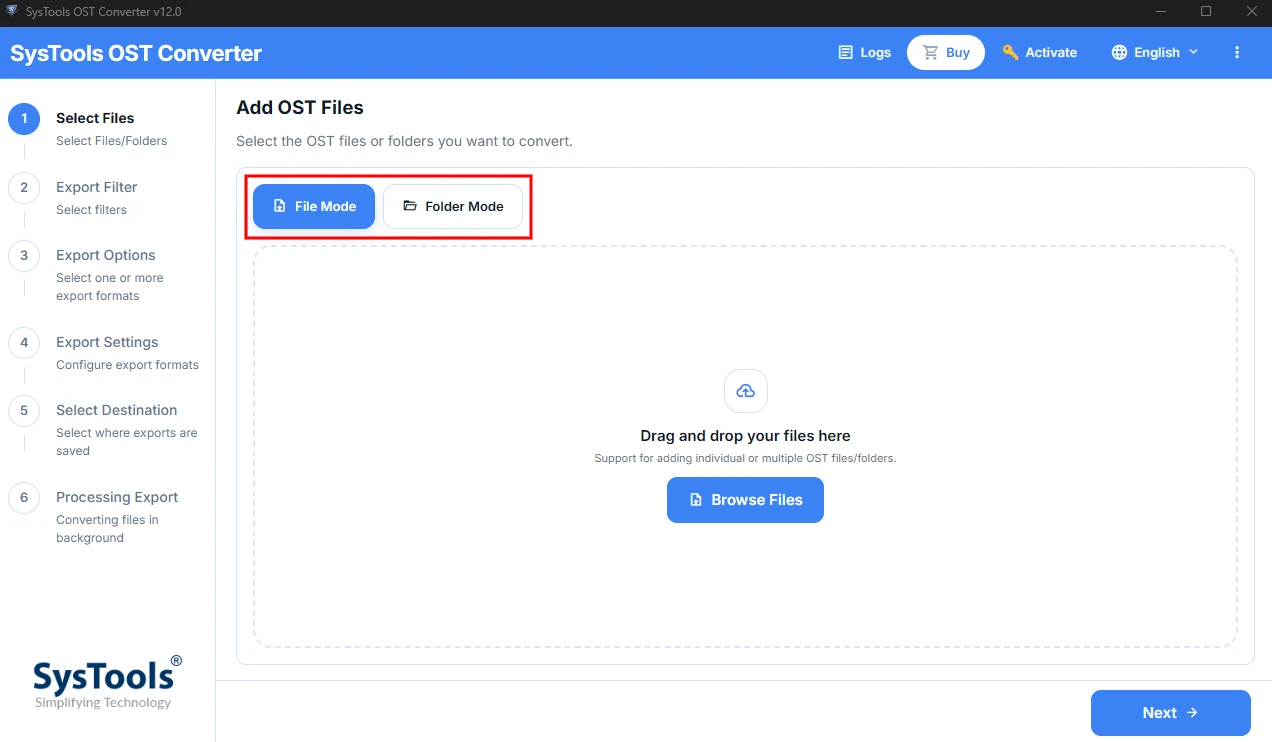
Select File Mode or Folder Mode, then click Browse Files to add your source OST file(s).
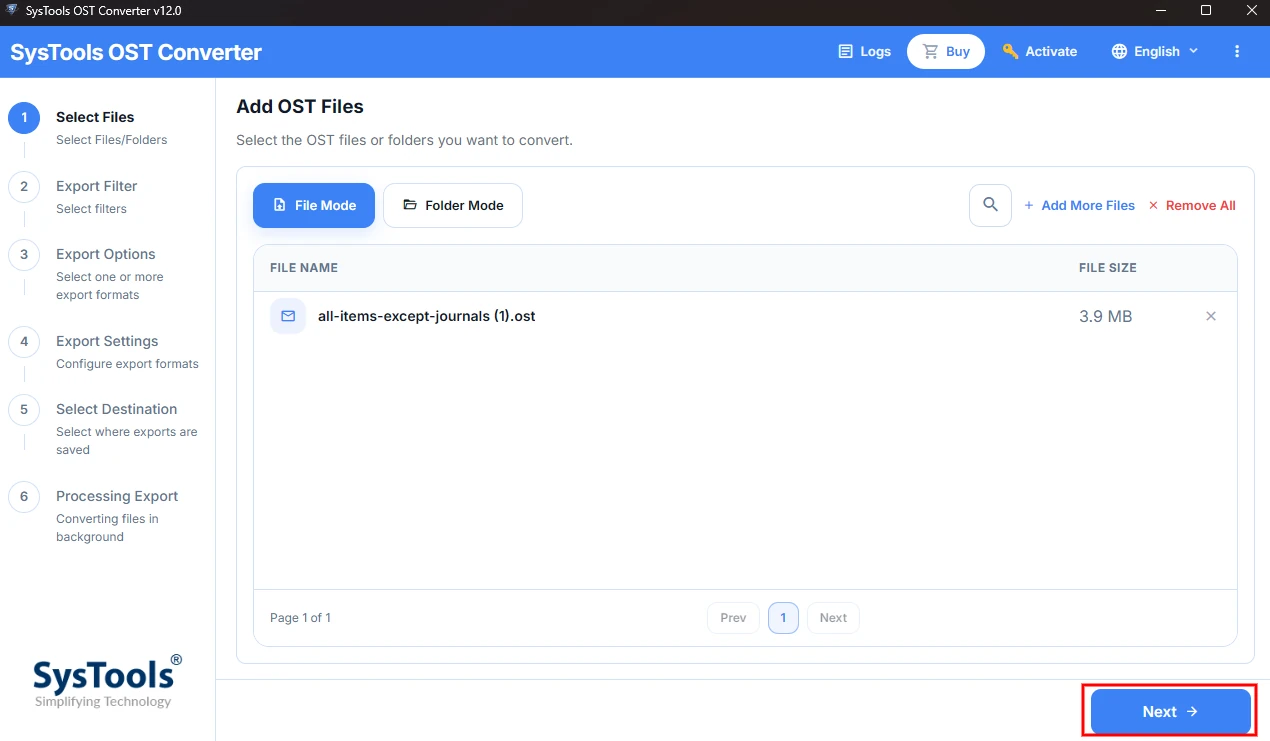
Review the loaded OST files in the preview list and click Next to proceed.
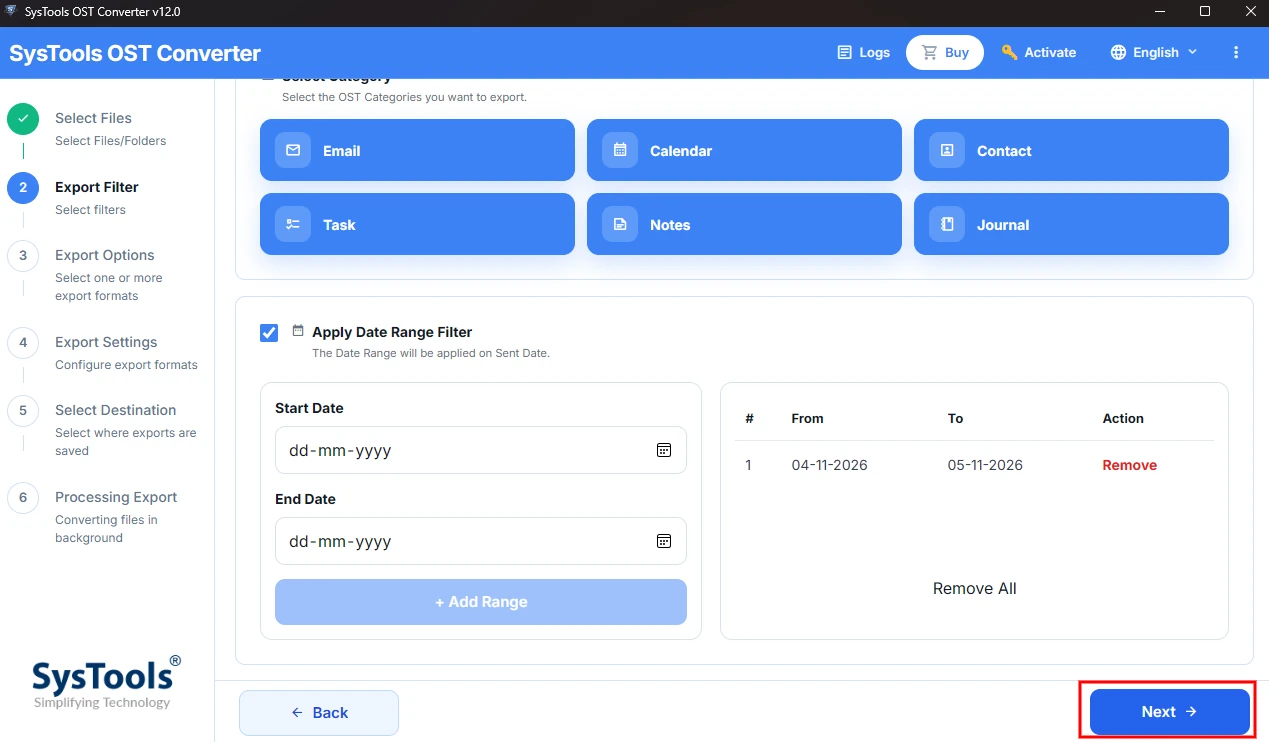
Choose your desired mailbox categories on the Export Filter screen along with Date Range Filter (as required) and click Next.
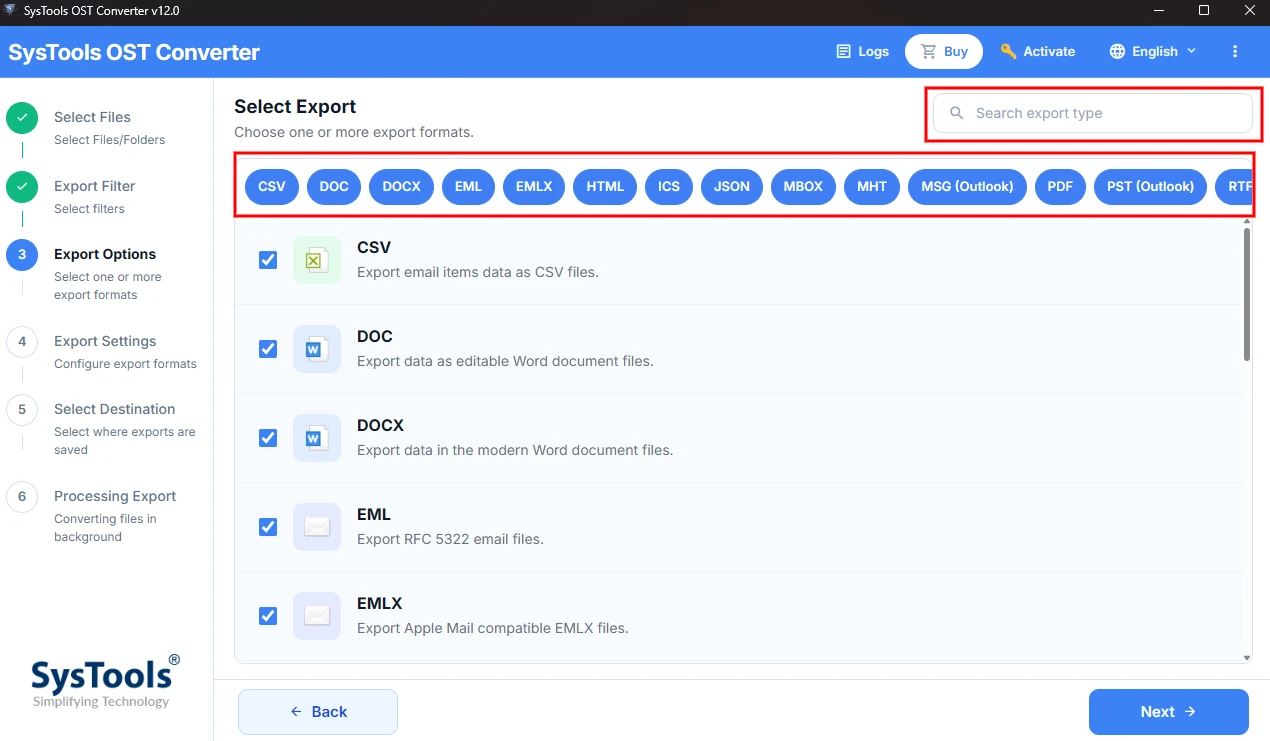
Select EMLX (or your target format) from the Export Options list and click Next.
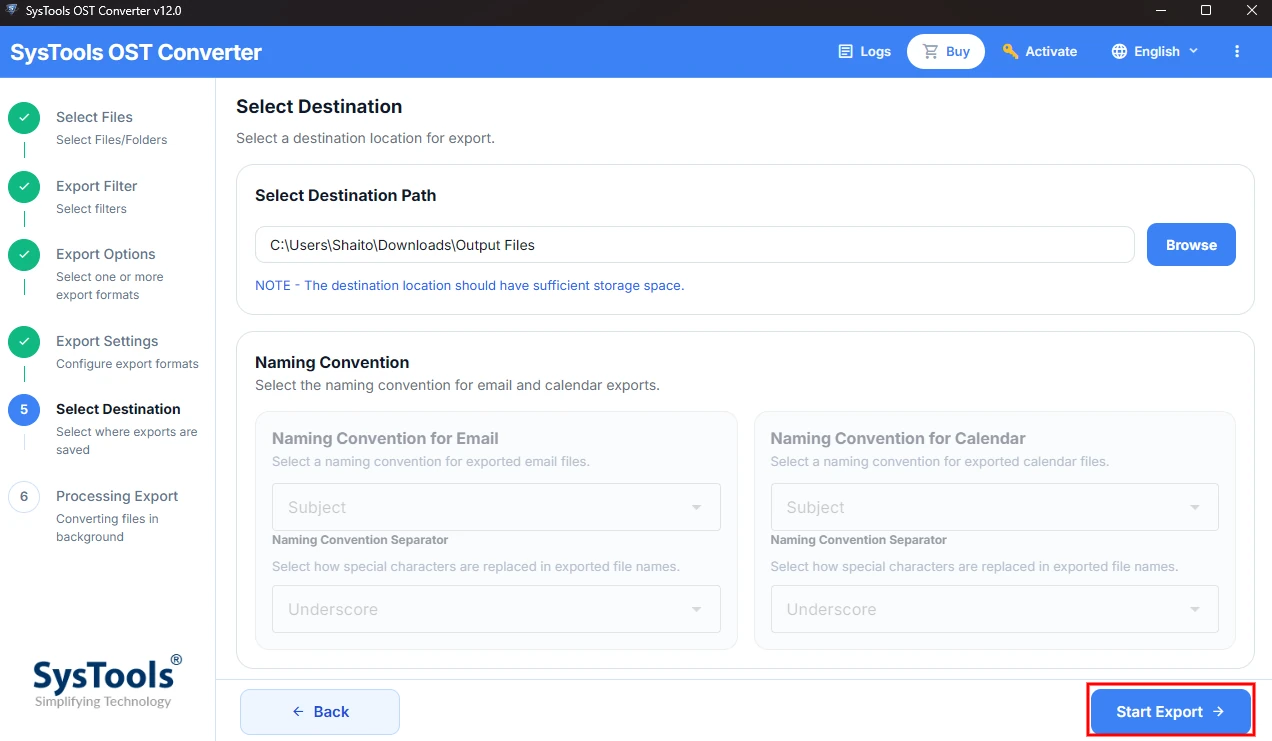
Configure your preferred naming convention or output preferences under Export Settings. Click Browse next to Select Destination Path to choose an output folder and click Start Export to initiate the OST to EMLX conversion process.
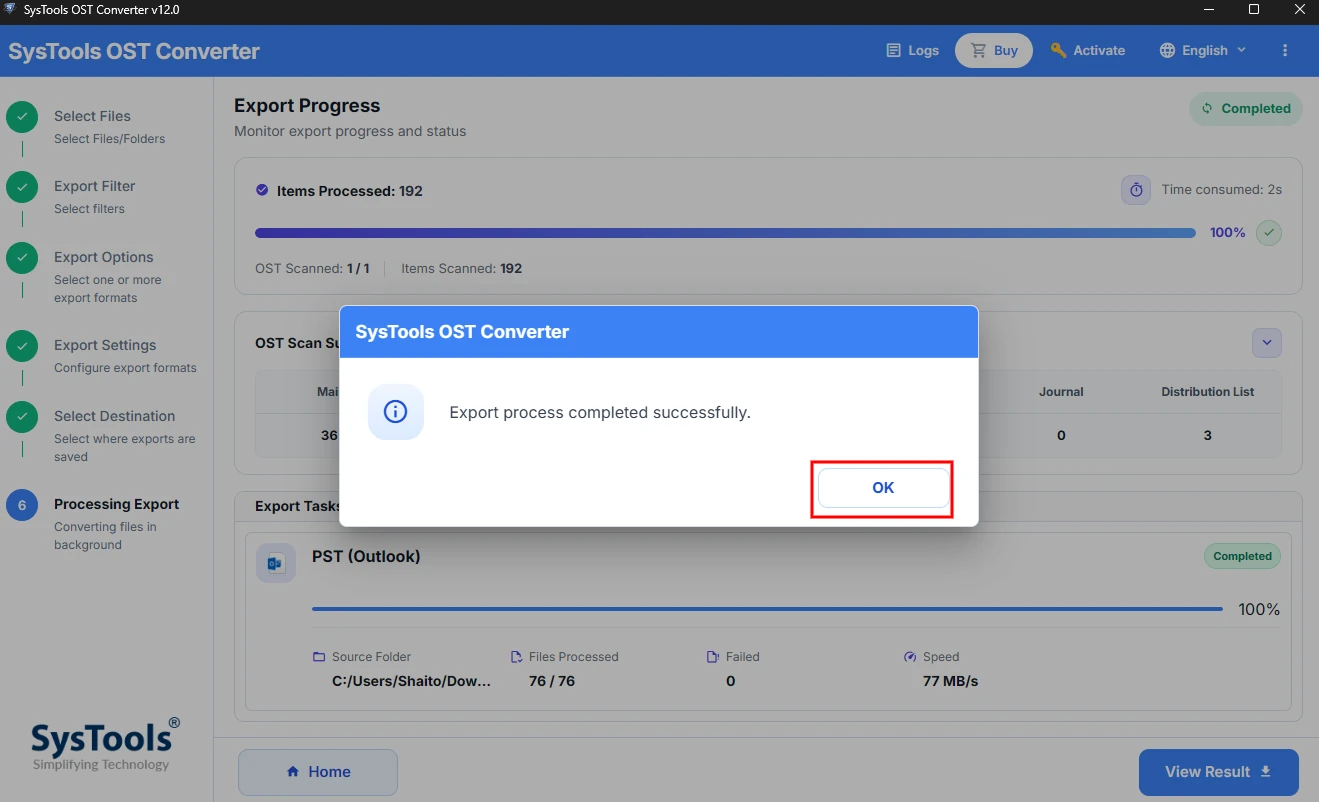
Click OK on the completion pop-up prompt once the export finishes.
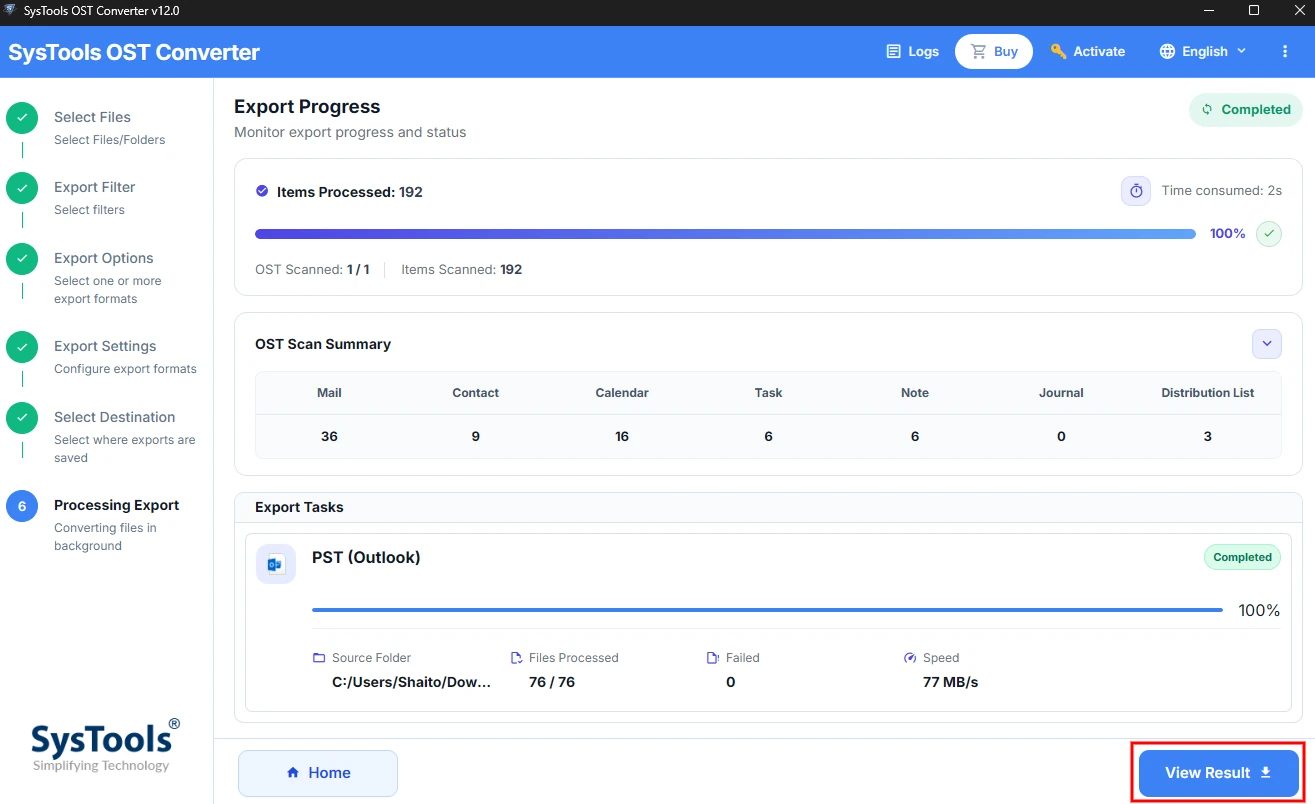
Click View Result on the Export Progress screen to open the destination directory.
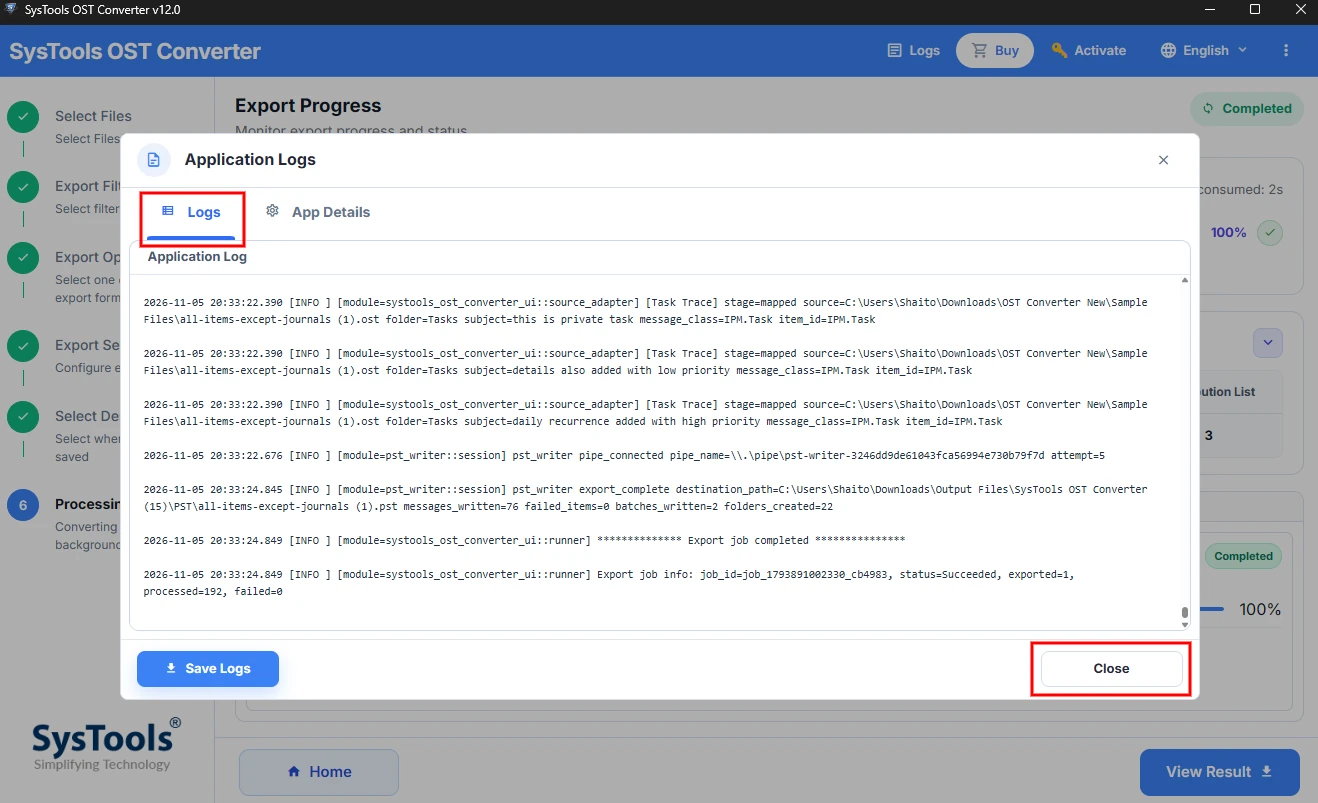
Open the exported folder in Windows Explorer to access your converted EMLX files and the log reports.
Notable Features of the Tool
OST files can be converted into different formats such as EMLX, PST, PDF, MSG, MBOX, and HTML.
It allows performing conversion of more than one OST file at a time or even complete folders. It can also convert corrupted or damaged files.
All original folder structure and nested folder hierarchy of the mailbox is preserved during conversion.
All embedded attachments will remain undisturbed in the converted files.
It does not require any additional software installation, not even Outlook.
It creates an ExportReport.csv file summarizing the count of successes and failures along with the paths used after completion of the conversion.
FAQ
Q: Is there a way to transform an orphaned or damaged OST file into EMLX files?
Yes, there is an OST to EMLX converter that simplifies the extraction and conversion of orphaned or inaccessible files without requiring an active Exchange server connection.
Q: Can I change the OST files into EMLX format without needing to install Microsoft Outlook?
Yes, the standalone conversion utility works independently of Microsoft Outlook and processes the OST files for EMLX format conversion.
Q: Is it guaranteed that my email attachments and folder hierarchy will be preserved during the conversion?
Yes, professional tools like SysTools ensure that the original folder hierarchy, email details, and attachments remain the same throughout the conversion.
Q: Why convert OST files into EMLX format?
OST files store cached mailbox data for Outlook on Windows, while Apple Mail stores email data in the EMLX format. Converting OST to EMLX lets you open and use that mailbox data in Apple Mail.
Q: Is it possible to convert several OST files to EMLX format simultaneously?
Yes, the batch conversion option lets users load multiple OST files or an entire folder and convert them in one go.
Summary – Key Takeaways
Manual conversion takes a lot of time, requires a connection to the Exchange server, may cause data corruption and misplacing of folders, and will not be successful with orphaned or corrupted OST files.
The software solves platform issues by allowing the direct conversion of intact as well as corrupted and orphaned OST files into EMLX format without the need for Outlook or an Exchange Server.
The software supports bulk processing, date range filtering, progress tracking, and conversion into multiple formats while maintaining the structure and attachments of the original files.
With this application, users can preview the status of the imported mail folders using the ExportReport.csv file.