

Quick Answer: There are different ways available to convert OST calendar data to ICS format but under conditions- if you have only one or few files to convert, opt for MS Outlook Save As option and if there are thousands of OST file, convert them using a verified software.
If your Outlook profile is currently in use, you can convert Outlook OST calendar data to ICS format manually by simply opening the Calendar section of the application and going to File > Save Calendar and selecting the file type as .ics. The built-in method, however, works only for active accounts at the moment and becomes laborious if you wish to extract multiple calendars at once and restore the lost files.
For orphaned, corrupt, or multiple OST files, applying an exclusively designed automated software solution in the shape of SysTools is the fastest and safest option. The program allows exporting and saving your calendar events as universal ICS files without needing either Outlook or active connection with the Exchange server.
How to Convert OST to ICS Format Manually?
If you have the original Microsoft Outlook profile associated with your OST file, you can use it to export your calendar data in ICS format. To do it manually using only Microsoft Outlook, follow these steps:
- Open a working Microsoft Outlook profile connected to your Exchange account.
- Go to Calendar in the lower left corner.
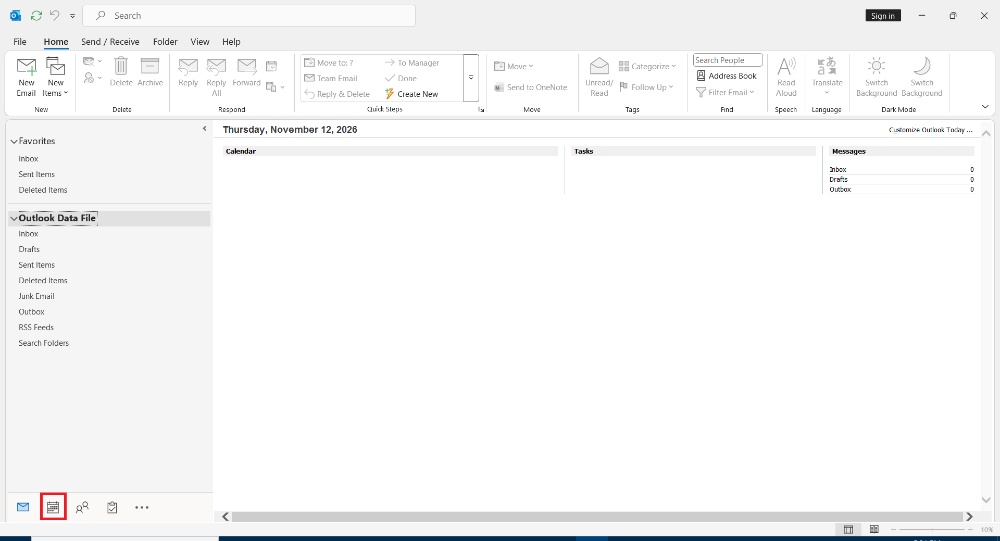
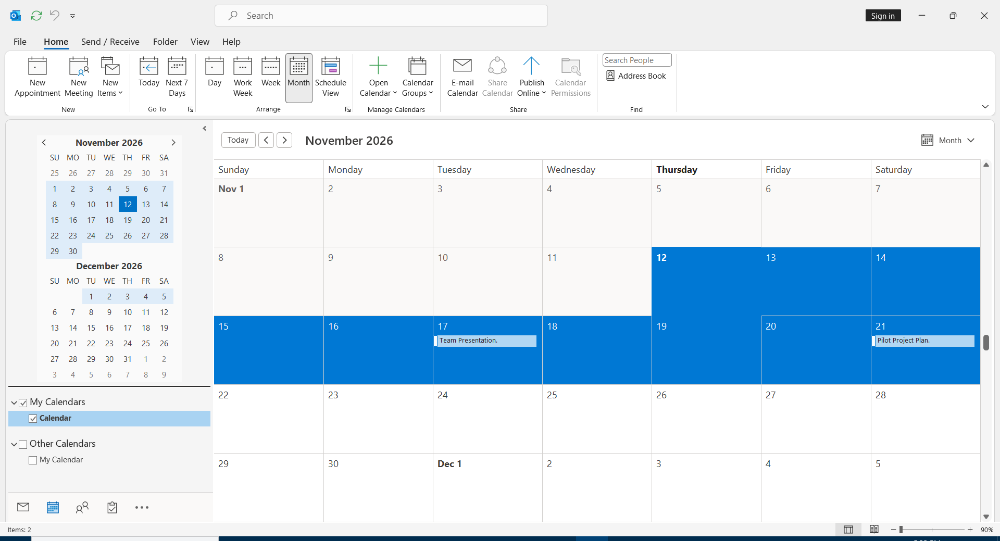
- Select which calendar you want to export from the list of calendars.
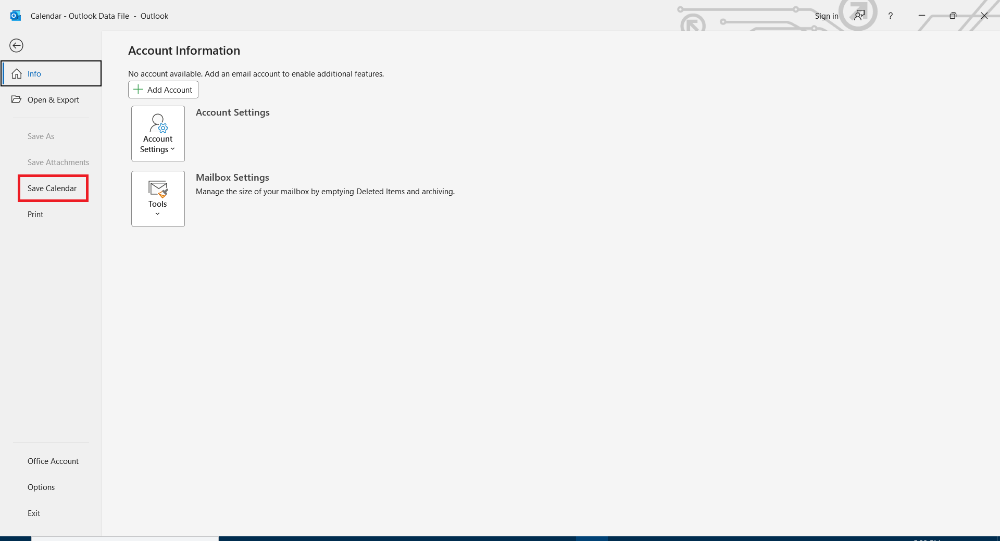
- Click on the File menu and select Save Calendar.
- Select the iCalendar Format (*.ics) option from “Save as type.”
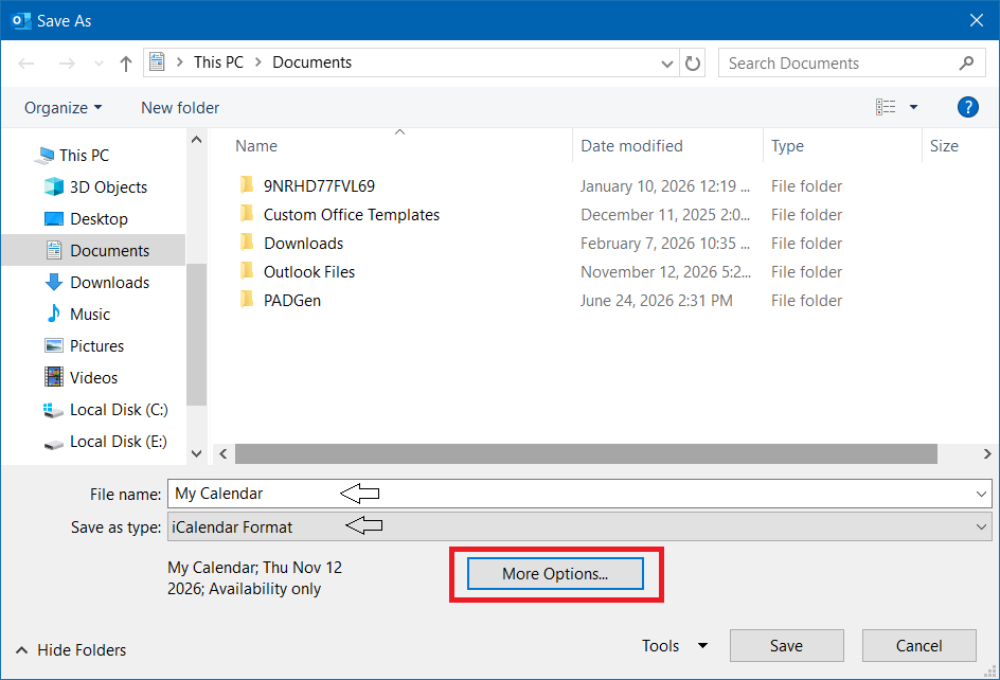
- Click on More Options to specify the date range and calendar details.
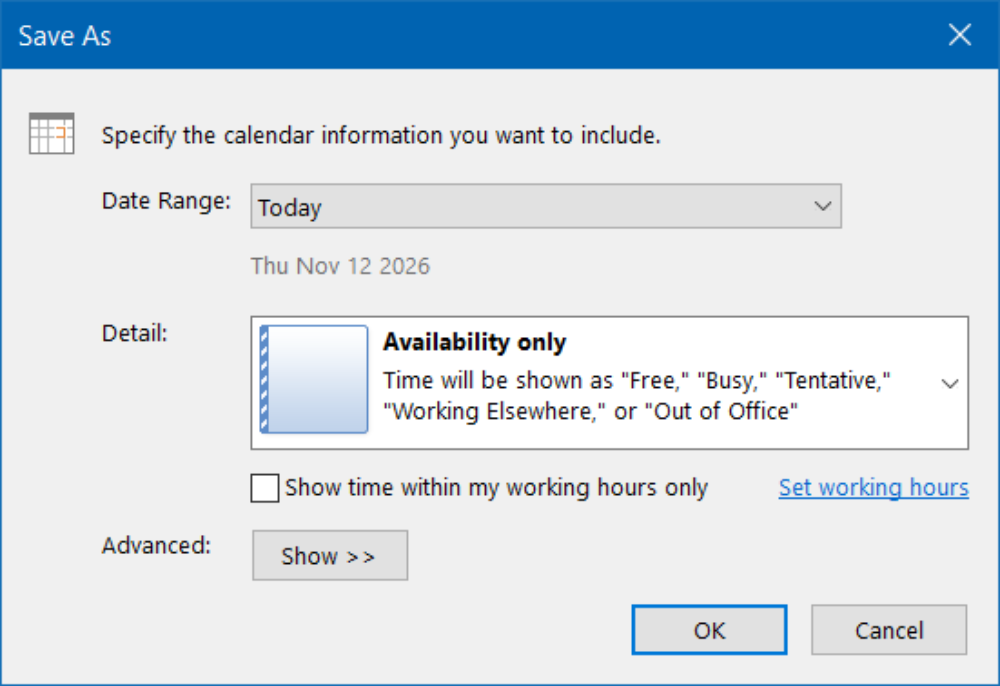
- Select the folder where you want to save the file and then click Save.
Limitations of Manual Approach
- The situation becomes very difficult if your OST file is not in your possession anymore.
- Manual approach needs Microsoft Outlook, which must be correctly installed and configured.
- The manual method miserably lacks batch processing feature, which prevents you from automatically exporting all the calendars at once.
- There are chances of errors leading to recurring events, missing attachments, or reminders while exporting large calendars.
- There is no option to filter out files from multiple-year-old calendar archives.
Best Professional Tool to Convert OST to ICS in Bulk: SysTools
SysTools OST Converter utility is a great choice for businesses needing to carry out huge calendar migrations. The tool gives you a simple alternative to converting OST calendars into standard ICS calendars. It is equipped with basic and advanced scanning options, making it easy to transfer different sizes of orphaned or corrupted OST files without the need for MS Outlook or a live Exchange Server connection. You can preview all your calendar data and use selective filters to streamline this process.
How to Batch Convert OST to ICS Quickly? (Step-by-Step)
- Download, install, and launch the utility on your Windows PC.
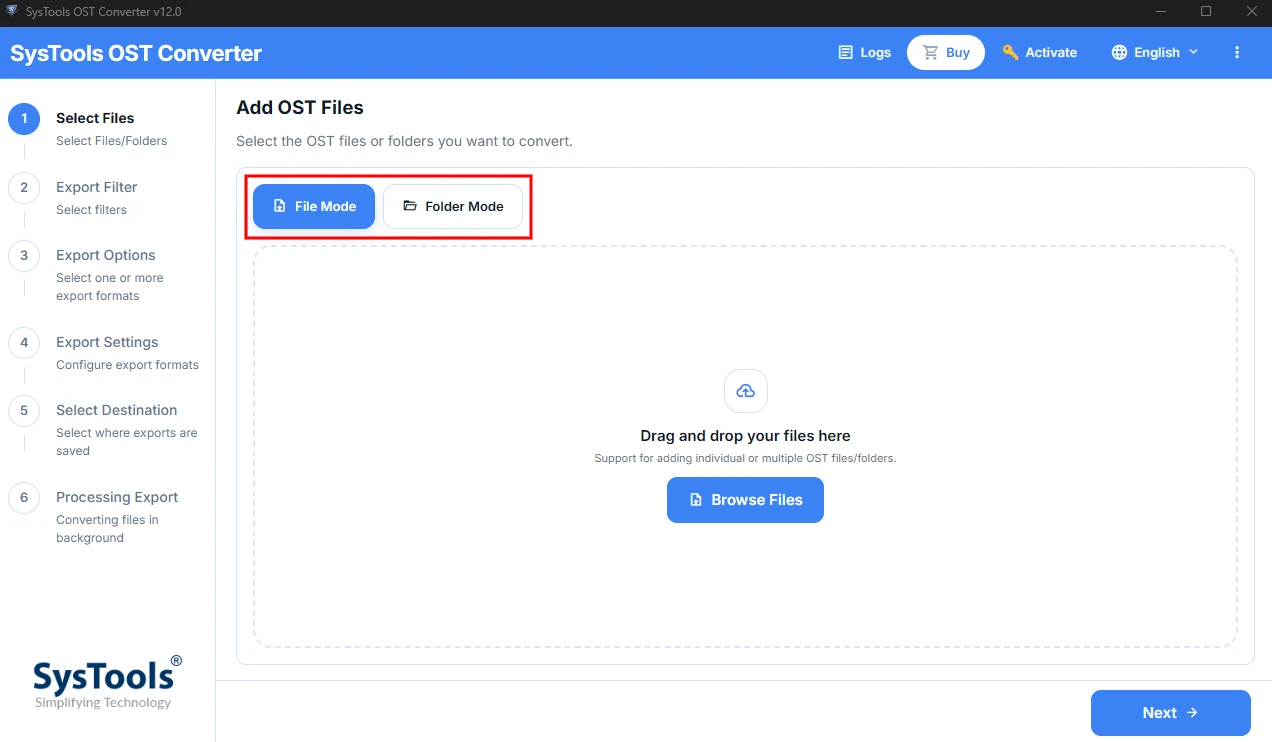
- Select File Mode or Folder Mode, then click Browse Files to add your source OST file(s).
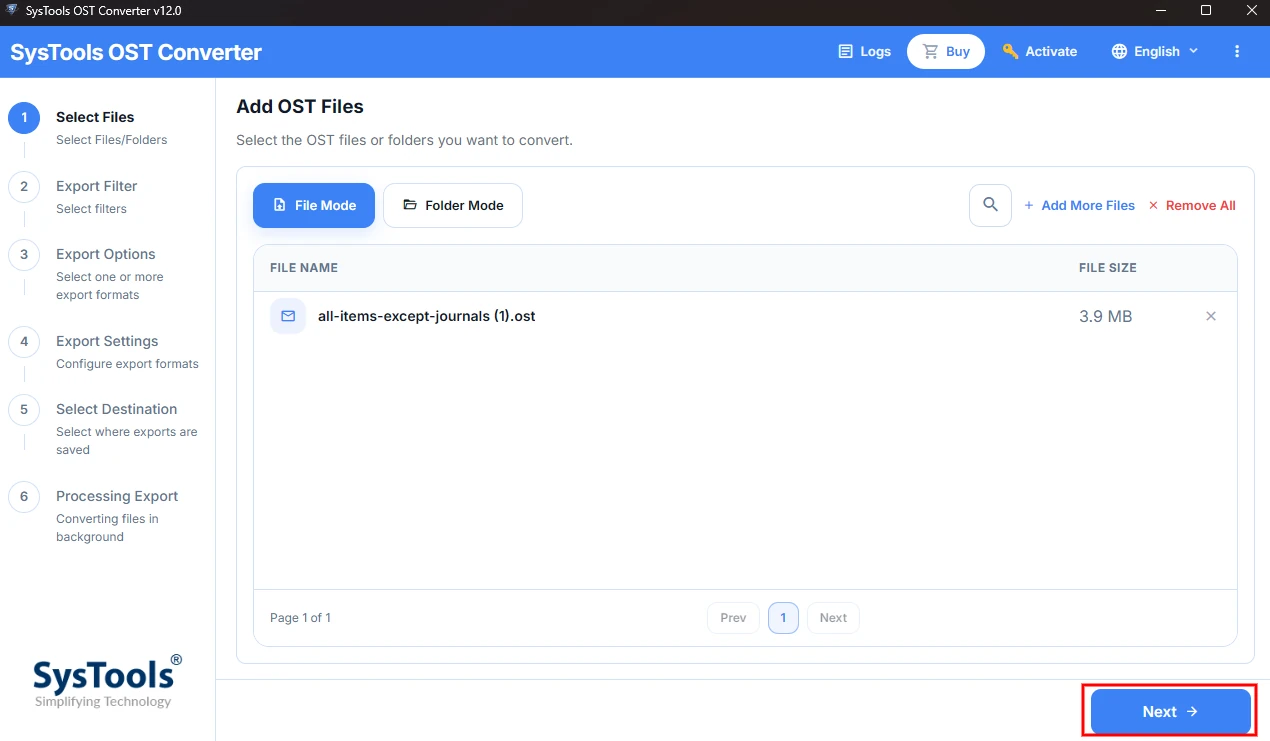
- Review the loaded OST files in the preview list and click Next to proceed.
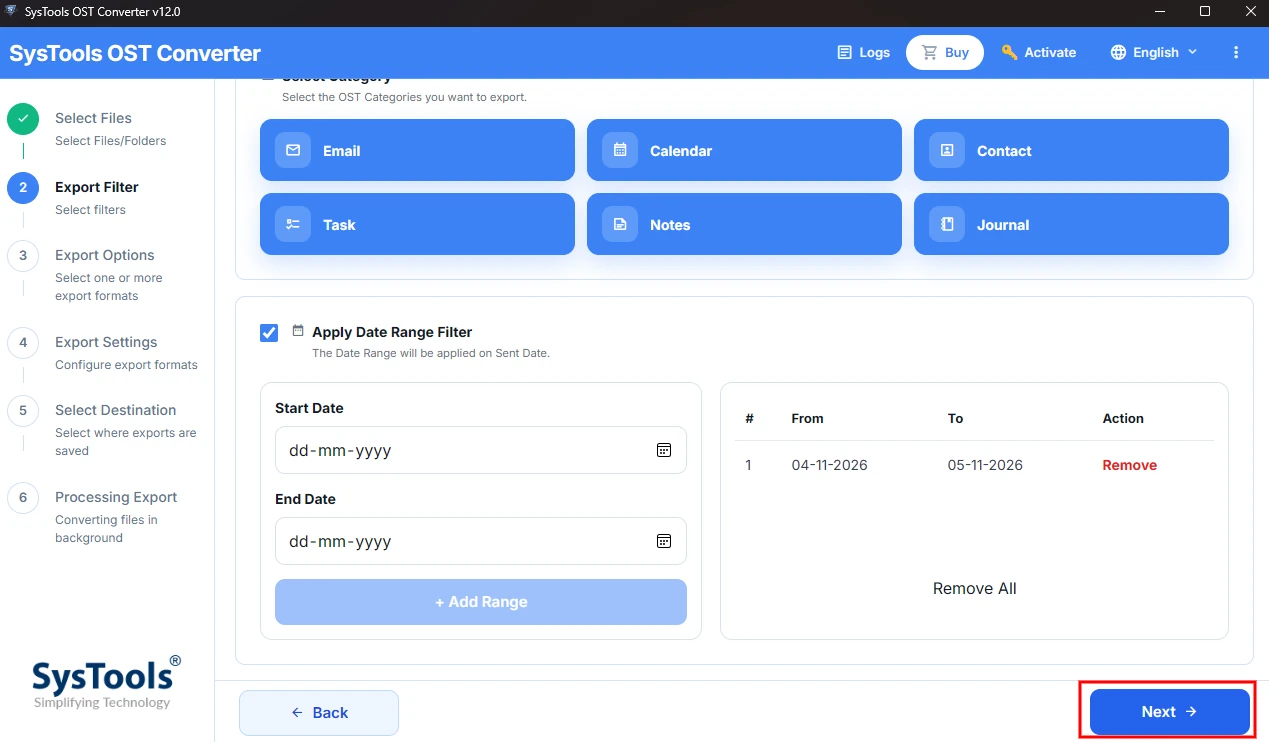
- Choose your desired mailbox categories on the Export Filter screen along with Date Range Filter (as required) and click Next.
- Select ICS from the Export Options list and click Next. The tools allows you to even Export all Calendar items from each OST file into a single ICS file.
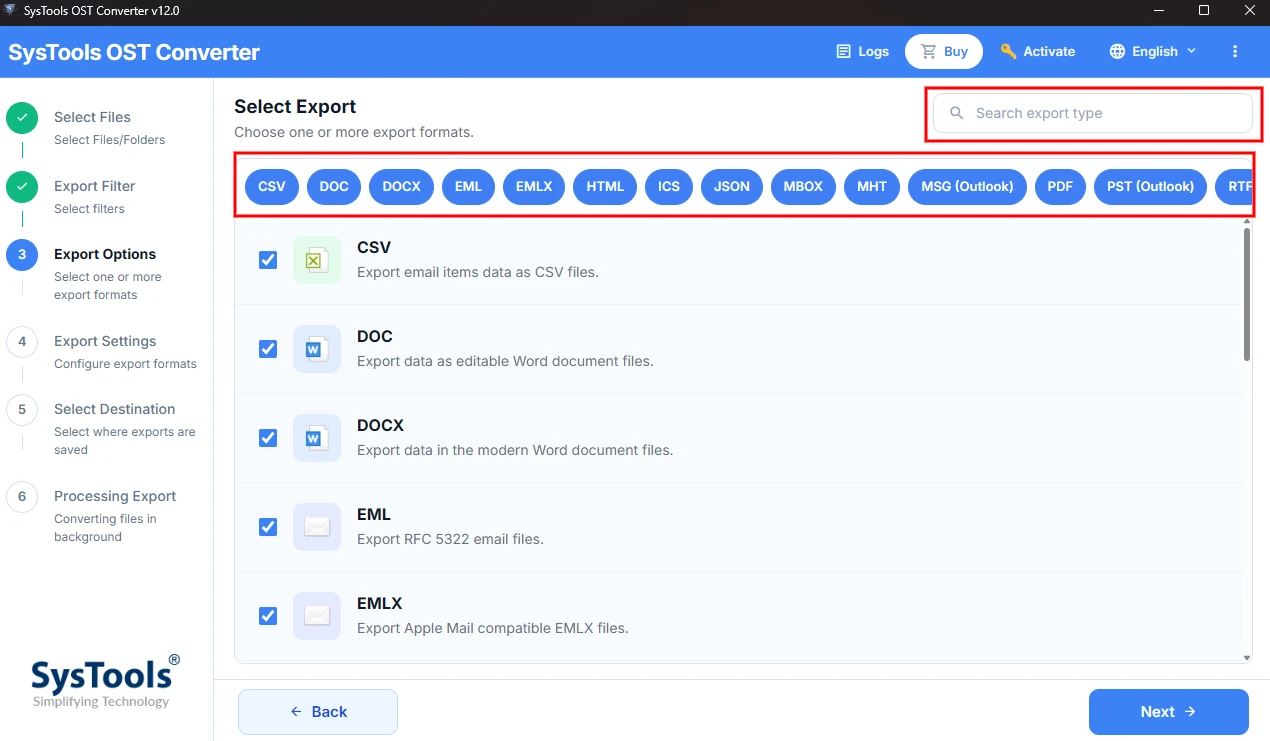
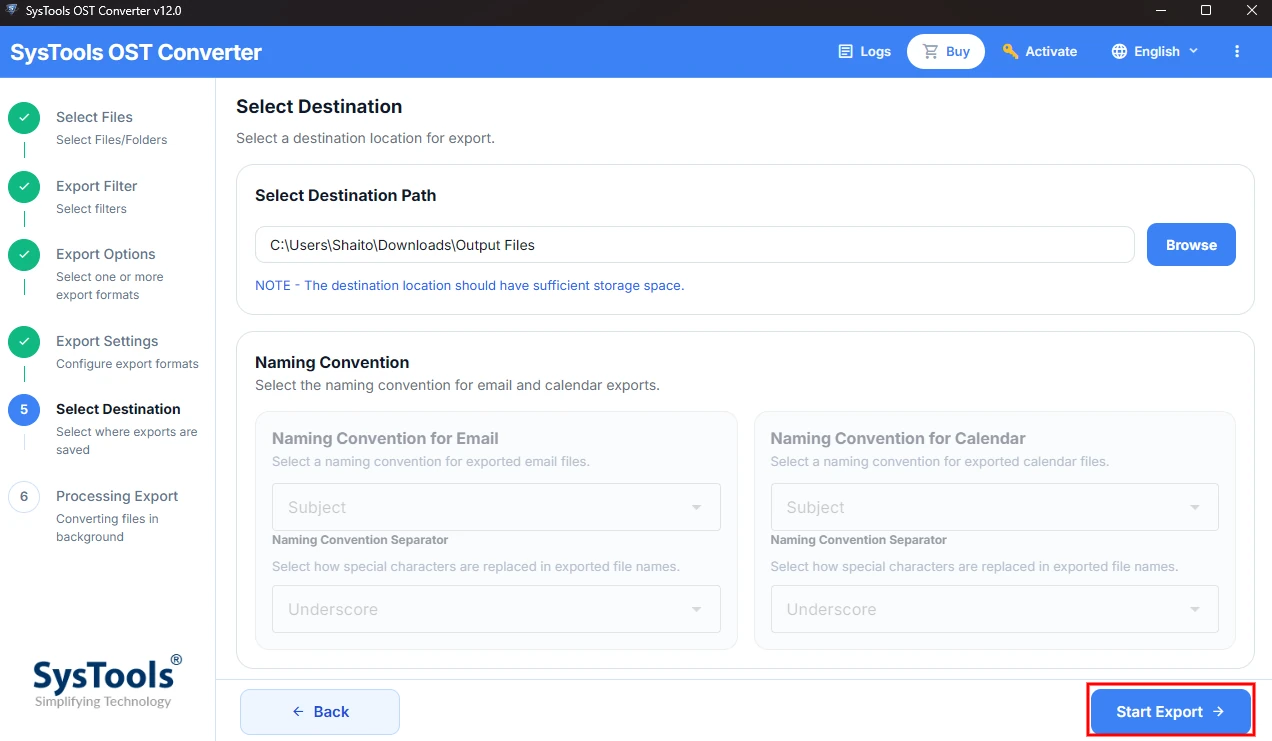
- Configure your preferred naming convention or output preferences under Export Settings. Click Browse next to Select Destination Path to choose an output folder and click Start Export to initiate the OST to ICS conversion process.
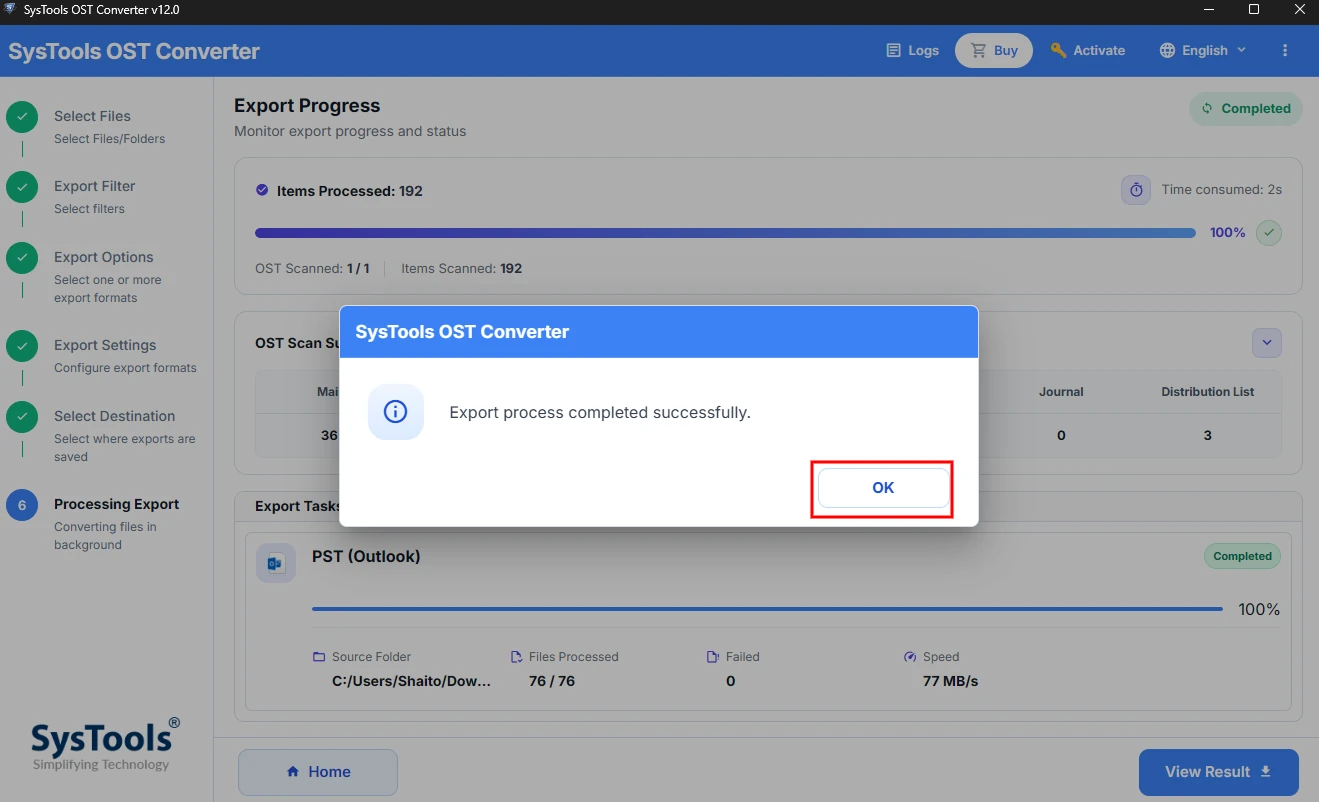
- Click OK on the completion pop-up prompt once the export finishes.
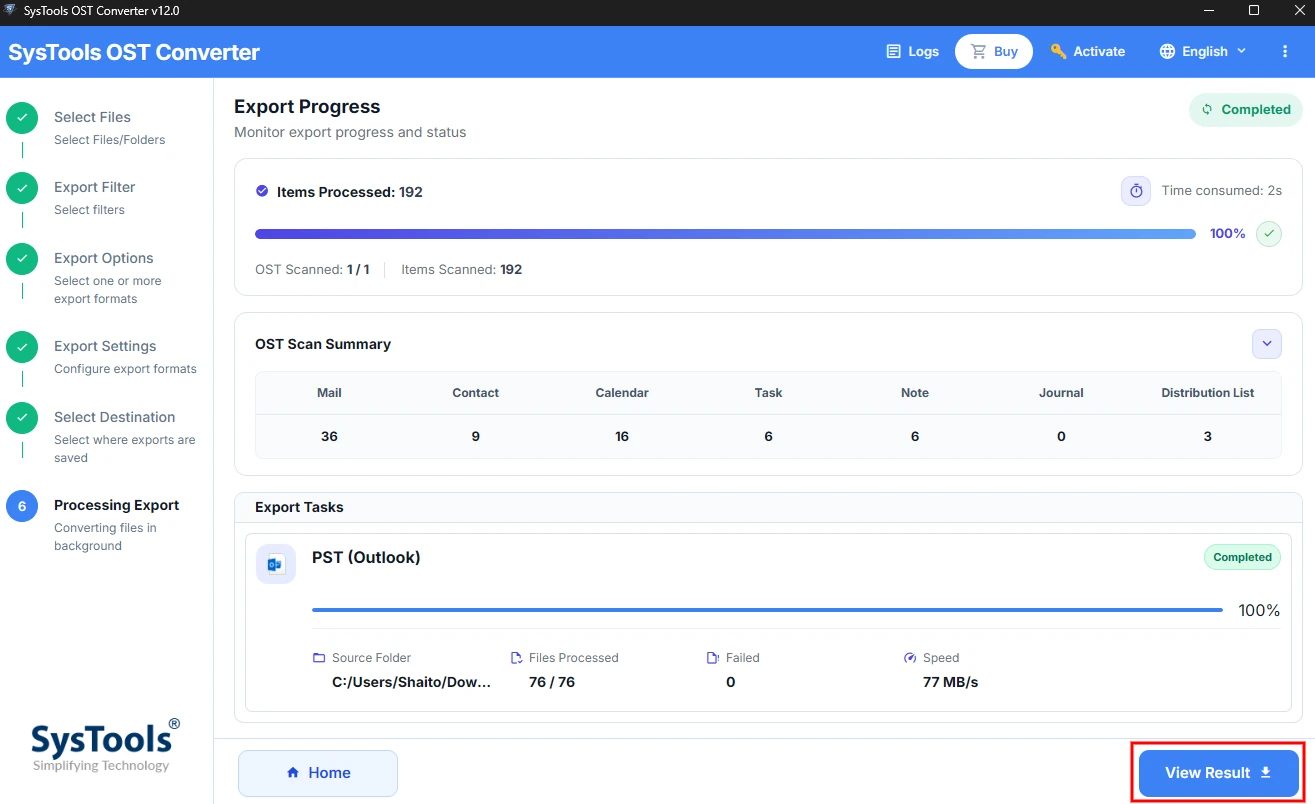
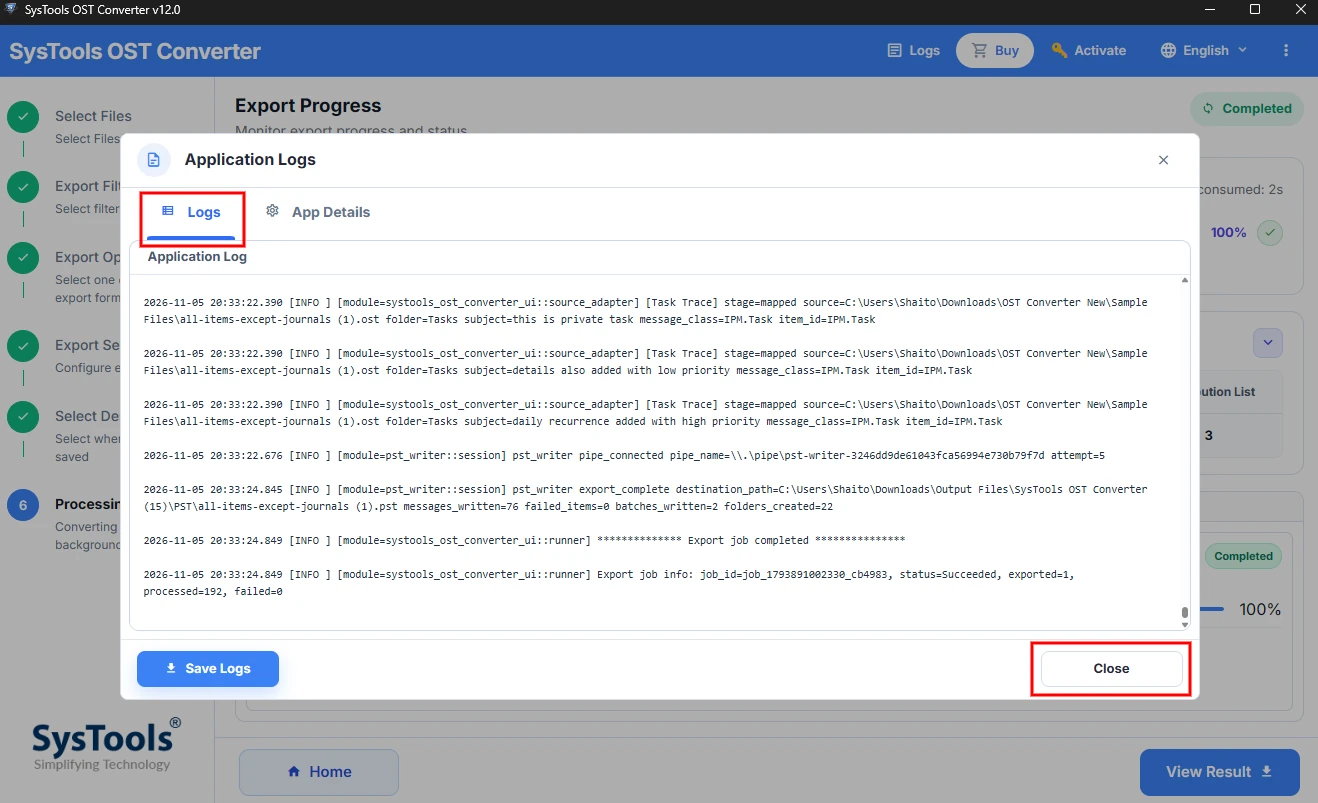
- Click View Result on the Export Progress screen to open the destination directory.
- Open the exported folder in Windows Explorer to access your converted EMLX files and the log reports.
Incredible Features of the Tool
- This tool can extract information from very badly damaged, orphaned, or unreachable OST files.
- The entire process runs independently without the requirement of installation of MS Outlook or Exchange Server.
- It allows performing conversion of more than one OST file at a time or even complete folders.
- OST files can be converted into different formats such as EMLX, ICS, PST, PDF, MSG, MBOX, and HTML.
- You can convert files from specific dates by using the “Apply Date Range Filter” option.
- All original folder structure and nested folder hierarchy of the mailbox is preserved during conversion.
- Emails will retain vital properties such as To, Cc, Bcc, Subject, and Date.
- All embedded attachments will remain undisturbed in the converted files.
- The program gives real-time updates in the form of current progress, number of items, scanning summary, and item’s export status.
- It creates a log file summarizing the count of successes and failures along with the paths used after completion of the conversion.
FAQ
Q: Is it feasible to change the OST calendar to ICS format manually without using third-party applications?
Yes, as long as you have a working Outlook profile connected to your Exchange account, you will be able to access your Calendar, go into File > Save Calendar, and then just export it as .ics directly.
Q: How can I change an orphaned or damaged OST file to ICS?
Because Outlook’s manual method cannot be applied to disconnected and corrupted files, you are left with no choice but to rely on automated tools like SysTools specifically developed to extract calendar content to ICS format without Exchange connection.
Q: Can I convert many OST calendars into ICS exactly at the same time?
Outlook’s manual method only allows one file to be exported at a time, while batch conversion utilities enable users to upload several OST files or folders and simultaneously export.
Q: Do events with repetitions or alarms remain the same after converting OST to ICS?
While it is true that bigger manual exports may sometimes involve the loss of some custom alarms or the details of recurring series, specialized OST to ICS converters like SysTools allow maintaining complete data with full integrity intact.
Summary – Key Takeaways
- Manually exporting OST calendars to ICS format can be done using the inbuilt File > Save Calendar option for Outlook profiles linked to an Exchange account.
- Unfortunately, this method does not work with orphaned or damaged OST files, cannot process multiple files, has limited date-based filtering options, and doesn’t guarantee the transfer of recurrence and other information for all calendar entries.
- SysTools offers one-click smart software that can convert multiple healthy, corrupted, or inaccessible OST calendars to the ICS format without using MS Outlook or Exchange Server.
- Its features include scanning modes, filtering according to date range, and tracking conversion progress as it’s happening.
- Thanks to SysTools, users are enabled to convert multiple OST files in a simple way by previewing mailbox items, adjusting export options, and generating conversion reports at the end of the process.