cad converter box

For Win

Guide

Docs

For Mac

Guide

Docs

SysTools CAD Converter Software

CAD drawing files become difficult to view, access, or share with non-CAD users without legacy software. Try SysTools CAD Converter Tool—the all-in-one utility for engineers, architects, and designers to convert the CAD-supported application files into 20+ file extensions, including PDF, PNG, DOCX, etc. Works on Windows and Mac OS.

  • Convert CAD Formats to 20+ Formats DOC, PNG, JPG, JPEG, GIF etc
  • Export .cad Files into Document, Image, or Other CAD-Supported Formats
  • Support Multiple CAD 2D & 3D Drawing Files DWG, DWF, DXF, DGN, more.
  • AutoCAD File Higher to Lower Version Converter—no AutoCAD Installation Needed
  • Batch Convert CAD Drawing in a Single Operation without Any Failure or Error
  • Preserve Dimensions, Layers, Maps, Metadata, Symbols, and other Data Formatting
  • Support CAD Files of AutoCAD, SOLIDWORKS, SketchUp, ARES Commander, etc
  • CAD File Converter to Convert Technical 2D or 3D Drawing without Legacy Tools
  • 100% Offline & Standalone Utility to Make Shareable & Print-Read .cad Files
  • Software is Capable to Browse or Support Both ASCII and Binary CAD Files for Conversion
  • Best Tool for Engineers, 3D Designers, Architects, Home Planner or Non-CAD Users
  • Offers a Simple and Clean Interface with Fast Processing—No Data Loss & Issue
  • Works with All Versions of Windows and Mac Operating Systems

Free Live Demo - SysTools CAD Conversion Tool Fully Secured Download Version

How to Convert CAD Files to Other Formats - 4 Simple Steps

Convert All Types of CAD Drawing Files without Installing Legacy Software

1

Download & Start the Tool

Launch SysTools CAD File Converter on Windows or macOS to convert CAD files with ease.

2

Upload Different CAD Files

Look for "Add Files or Folders" functions to browse multiple CAD files, such as, AutoCAD DXF, IFC, etc.

3

Choose Export File Type

Under the Export option, pick the desired format for CAD conversion, such as DOCX, PDF, etc. And, Change to set the destination.

4

Hit Export

Finally, use the Export button to convert .cad file format to shareable or future-ready file extensions.

CAD File Converter Tool: Choose Your Input or Desired Output Format

Import CAD-Software Supported Files and Export in Multiple File Extensions without Native Tools

Supported Source Formats Supported Export Formats
Import 10+ CAD Files Formats
DWG DXF DWF DWFX DGN IFC SCAD IGES IGS TCW TCX
Convert CAD Files to 20+ Formats
PDF DOC DOCX HTML JPG/JPEG PNG BMP TIFF/TIF GIF WEBP TGA HEIC HEIF AVIF EXR SVG WMF EMF EPS DXF DWF DWFX

Advantages of Choosing SysTools CAD Converter Software

Convert CAD Drawings Using Trusted Solution—Zero Risk & 100% Data Accuracy

cad application support

Support CAD-Ecosystem Application

To open or analyze the .cad files with a native application is quite expensive for non-CAD users. Try SysTools CAD File Converter to access technical 2D or 3D drawings into various industry-supported file formats.

export cad files

Export CAD Drawing Files to 20+ Outputs

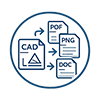
This CAD Drawing Converter Tool allows users to convert .cad files into 20+ formats, including document, image, and readable file extensions. Some of the popular formats are PDF, PNG, DOC, DWF/DWFX, etc.

no dependency

No Dependency on Native CAD Application

SysTools designed AutoCAD Drawing Converter is the AutoCAD-free utility. The software won't require native CAD-supported applications, like SOLIDWORKS, CorelCAD, and more, reducing the cost & dependency.

preserve formatting

Preserve 2D & 3D Drawing Layout

The CAD drawing files contain crucial dimensions, annotations, and other layers. During the CAD conversion, this trustworthy tool efficiently preserves the file formatting, layout, and original structure.

batch conversion

Bulk Conversion of CAD Files

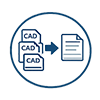
SysTools CAD Converter Software, users can add multiple CAD files and convert them into different formats in batch mode at once. The Tool has an “Add Files or Folders” feature to provide bulk conversion that saves time and reduces manual efforts.

offline conversion

100% Offline CAD Conversion for All

Online CAD Converter offers the risk of data compromise, especially for sensitive designs. Download SysTools CAD conversion, a reliable & 100% offline tool, ideal for engineers, civil architecture, etc.

CAD Applications & Supported File Formats by SysTools CAD File Converter

Best CAD Drawing Converter to Convert .cad Files Created by CAD-Supported Software

CAD Application Supported Version Standalone Capability
AutoCAD AutoCAD 2027, 2026, 2025, and earlier versions
SysTools CAD Converter to convert CAD files created from native AutoCAD without installing legacy platform. It is the best AutoCAD 2025 to 2007 converter that supports all higher to lower versions.
CorelCAD
(Discontinued & Moved to ARES Commander)
Last 2023 V & earlier
Professionals can use reliable CAD File Converter software to export files created from CorelCAD to standard files. This way, architects or engineers can easily share the sketch with businesses, or more.
DraftSight Latest 2026 & below versions
This CAD conversion tool is best for viewing the 2D technical drawings without using DraftSight. Using the tool, designers can share DraftSight drawing files into different file extensions.
SOLIDWORKS Support 2026, 2025, and below editions
SysTools CAD Drawing Converter to convert SOLIDWORKS-supported file formats to picture or document-friendly extensions. This way, users can share their drawings without purchasing a costly plan.
ARES Commander Works with 2027, 2026 & later versions
Using the CAD Convert Tool, users can take ARES Commander-supported files as input. With this, anyone can effortlessly export the industrial-focused format for sharing them with different platforms.
SketchUp 2026 & other versions
Professional users use SketchUp to create technical designs, but sharing is always a tedious task. Use use the SysTools CAD Converter Software to convert CAD files into other formats.
LibreCAD Version 2.2.1.5 & below
LibreCAD DXF and other CAD formats require a legacy client to export the drawing. Try SysTools CAD Converter to export the Libre CAD files to the desired format without paying cost.
MicroStation V 2026, 2025, and below
Paying the cost of a MicroStation license to open the native .dng or other CADs is painful. SysTools CAD Conversion utility is the best alternative to export the MicroStation-compatible formats.
Autodesk Fusion
(Former name Fusion 360)
V2.0.2606 or earlier
Whether you're an AutoCAD or Fusion user, you need to share, or archive the drawing. With the best CAD Converter Software, you can save the .cad files into standard formats without the Fusion ecosystem.
BricsCAD V26.2
BricsCAD supported CAD files, such as .dwg, require native or other CAD software just to view the 2D & 3D drawing. Use the CAD Converter Tool by SysTools to eliminate dependencies.
ZWCAD V2026 & below versions
ZWCAD handles .cad formats, all of which require a costly payment. With this CAD File Converter, users can convert all ZWCAD-supported or exported CAD files into various file extensions.

Explore Key Features of SysTools CAD Converter Tool

Boost Productivity with Powerful CAD Conversion Solution - Ideal for Architects & Engineers


convert cad files

Convert CAD Drawing Files into 20+ Outputs

The native CAD files need heavy or licensed software to view or analyze the designs. To save costs, try SysTools CAD Converter to export .cad files to 20+ file formats. To make accessible CAD files, professionals can pick different document, image, or other platform-supported formats. It supports various output files, including DOC, PDF, JPG, SVG, and more. So, download the best AutoCAD version converter—an ideal utility for converting .cad files in one go.

support cad environments

Support CAD Files of All CAD Environments

This CAD File Converter supports multiple CAD files of different CAD software or platforms. It mainly includes DGN, DXF, DWFX, and more. Professionals can browse the CAD files exported from AutoCAD, CorelCAD, SketchUp, SOLIDWORKS, etc. Most importantly, this AutoCAD drawing converter supports all the higher to lower versions of all CAD-supported software, making it easier to process or export the .cad files.

higher to lower version

AutoCAD Drawing Converter Higher to Lower Version

SysTools AutoCAD drawing conversion software is among the most powerful and reliable software that supports the .cad files of all legacy CAD software, such as AutoCAD, SOLIDWORKS, CorelCAD, and more. Most importantly, the tool ensures the effortless conversion of CAD files of older and latest versions without using the source application. The AutoCAD version converter works with the latest 2027, 2026, to earlier versions of the AutoCAD software.

export cad to image format

Export CAD Files into Universal Image Formats

To save the CAD files in image formats, use the SysTools CAD Converter Tool. The most effective utility to transform CAD into picture extensions, such as JPG, PNG, GIF, BMP, etc. This way, users can view or open the 3D drawings in digital raster or vector image types.Download the program to share or achieve the designs, architectural plans, blueprints, and more with non-CAD users.

convert .cad to document files

Convert CAD to Professional Document Formats

With this advanced CAD Conversion Software, users can export the CAD files into editable or printable document formats. Some of the popular document extensions include Word DOC, PDF, etc. Without copy-paste and manual efforts, users can transform the technical 2D & 3D CAD drawings into reports, future-ready formats, and more. Ideal for civil engineers, model designers, and non-CAD software users.

bulk conversion

Convert 2D & 3D CAD Drawings in Bulk

Whether users want to convert large or multiple CAD files, SysTools CAD File Converter is the perfect choice. Without manual efforts and failure, the software is capable of converting hundreds of CAD 2D & 3D drawings in a single operation. During the process, the tool offers fast processing and 100% accuracy. After the conversion, users can analyze a detailed report on success rates and failures. Hence, it is a reliable software for exporting CAD files in batch mode.

apply password

Apply Password to Output PDF Files

To protect the sensitive CAD designs, the CAD Converter Software offers another smart feature, i.e., password protection. When saving the CAD files in a document (e.g., PDF) format, users can apply password to safeguard the data. Also, professionals can use other dedicated PDF Locker to protect the output document with other permissions. This way, you can easily share or store the critical blueprints or architectural plans.

layout settings

Flexible Image & Page Layout Settings

This CAD conversion utility provides flexible page and image settings. Professionals can adjust the page margins (top-bottom or left-right) and orientation, suitable for printing, and archiving the CAD drawings. Beyond this, it offers customized image settings to organize all designs into a single output file. The feature helps manage or create a professional and well-structured output file.

clean interface

100% Offline Tool with Clean Interface

SysTools CAD Drawing Converter is a completely offline utility with a navigational dashboard. With this, users can convert CAD files without technical support and expertise. Remember, online CAD converters aren't recommended because data is stored on third-party servers. SysTools' designed solution works locally on your system, reducing the risk of data tampering or privacy breaches. So, use the software to convert CAD files to the desired file extension without any tech support.

windows or macOS

Works with All Versions of Windows or MacOS

The Mac CAD Converter of SysTools is available for all the latest to earlier versions of Mac OS. Additionally, users can download the software separately for Windows. This utility efficiently works with all editions of Windows or macOS, preventing the chances of failure. Hence, you can easily install and start the processing of converting the CAD files without external support. Download this portable program and share your .cad files with ease.

SysTools CAD Conversion Software – Specifications

Software Requirement to Seamlessly Convert CAD Files into Various Formats

best cad converter

(Windows OS)

Name: SysTools CAD File Converter
Version: 5.3
Size: 44.5 MB
MD5: 9fa4d2175a640cfeebadbbe2d38bee5a
Free Version:

Download Now for Windows

(Mac OS)

SysTools Mac CAD Converter
4.1
15.7 MB
7d4ecdde57741f3f3b03b4e47cb6ee46
Download Now for Mac

Trial Limitations:
(Windows)

Free CAD Drawing Converter can only convert up to 5 files into portable document formats. Also, it won't support export in image and other extensions.
(Mac)

SysTools Mac CAD Converter can only export 5 .cad files into editable document formats. Not support other export options.
(Windows) (Mac)
Hard Disk Space: 100 MB of free hard disk space required 100 MB of free hard disk space required
RAM: 4 GB of RAM (4 GB is recommended) 4 GB of RAM (4 GB is recommended)
Processor: Intel® Core™ 2 Duo CPU E4600 @ 2.40GHz 2.39GHz Mac Computer with Intel Processor
Mac Computer with Apple Silicon (Apple M1)

Platforms:
(Windows)

 Windows 11 (64-bit), Windows 10 ( 64-bit), Windows 8.1 (64-bit), Windows 8 (64-bit), Windows 7 (64-bit), Windows Vista (32-bit & 64-bit), Windows XP (32-bit), and Windows Server 2025 and other latest editions.
(Mac)

Mac OS X 11.0 (Big Sur), macOS X 12.0 (Monterey), macOS X 13.0 (Ventura), macOS X 14.0 (Sonoma), macOS 15 (Sequoia)

Application Pre-Requisites:

(Windows)

  • Microsoft .NET framework 4.5 or above should be installed.

(Mac)

User Control

image

FAQs

freebest softwarepurchase
full versionconvertserial keydownloadfree

buy softwarepurchase
convert eml to pst
wizardfree eml to pstexportexport

Electronic Delivery

export freepurchase fullsafe
buypuchase toolsoftware

Which is Better: Demo vs Full CAD Converter Software

Why Choose Licensed Version of CAD Conversion Utility

Features Demo Version Full Version
Add Multiple CAD Files
Preview CAD Drawing & Structure
Preserve CAD File Formatting & Layout
Apply Protection on Output File
Launch Tool on Windows & macOS
Support All Export Options for CAD Conversion
Export Options to Various Image Formats
Cost FREE $39

Everything You Need to Know About Tool

Commonly Asked Queries on SysTools CAD Drawing Converter Tool

Q. What is CAD Converter Software?

The CAD File Converter tool is an all-in-one utility for converting the technical drawing into multiple file extensions. This software is available for both Windows and macOS platforms. Most importantly, the utility supports different types of CAD files from legacy CAD software. Using the solution, users can save the 2D & 3D CAD drawings into 20+ formats. This utility is suitable for architects and engineers who want to share drawings with non-CAD users. All these features are available in SysTools CAD conversion.

Q. How to Convert CAD Files to Other Formats?

To convert the CAD files into multiple file formats, try SysTools CAD Drawing Converter software. Now, follow the steps below:

  • Install the SysTools CAD Conversion Utility on your Windows or macOS.
  • "Add Files or Folders" to upload the different types of CAD files > Next.
  • Navigate to the Export option and choose the desired export file extension.
  • Use the page & image settings if needed > tab Change to set path.
  • Finally, press Export to transform the CAD files into multiple file formats.

Q. Can I Convert AutoCAD CAD Files of Latest 2027 Version?

Yes, try SysTools AutoCAD drawing Converter utility is capable of converting the CAD files of AutoCAD from higher to lower versions. Some of the AutoCAD versions are 2027, 2026, 2025, and earlier editions. Hence, this is a secure and safe way to convert AutoCAD-supported CAD files into readable and printable formats.

Q. Which CAD Software Formats are Supported by SysTools CAD File Converter?

This CAD File Converter Software supports .cad files created in software like, AutoCAD, SOLIDWORKS, SketchUp, ARES Commander, and more. Using the utility, professionals can convert the CAD files without using legacy applications.

Q. Is It Safe to Use CAD Conversion Utility?

Yes, it is fully safe to use SysTools CAD Drawing Converter. This is an offline tool for converting .cad file formats without privacy or security concerns. During the conversion, the tool preserves technical drawing dimensions, layout, geometry, and metadata.

Q. Which is Better Online or Offline CAD File Converter Tool?

The online tools aren't a safer choice due to privacy or data compromise issues. Use an offline CAD converter higher to lower version to securely convert CADs without uploading to the Cloud or third-party platforms. So, use the offline tool to ensure effortless and instant conversion of CAD or CAD software supported file formats.

Check Out What Our MVs & Client Say About Our Tool

SysTools CAD File Converter: Reviews from Verified Purchase