New Version ⚡ Up to 10x Faster EML Conversion ↗
Best software to convert EML files and maintains sender and recipients (From, To, Cc, Bcc), subject, date and time, email body, inline images, attachments, hyperlinks, message headers, folder structure.
Free Live Demo: – SysTools EML Converter for Windows Fully Secured Download Version
Check Detailed Feature Explanation of Mac EML Converter
Expert Rating for This Software While Converting EML and EMLX File
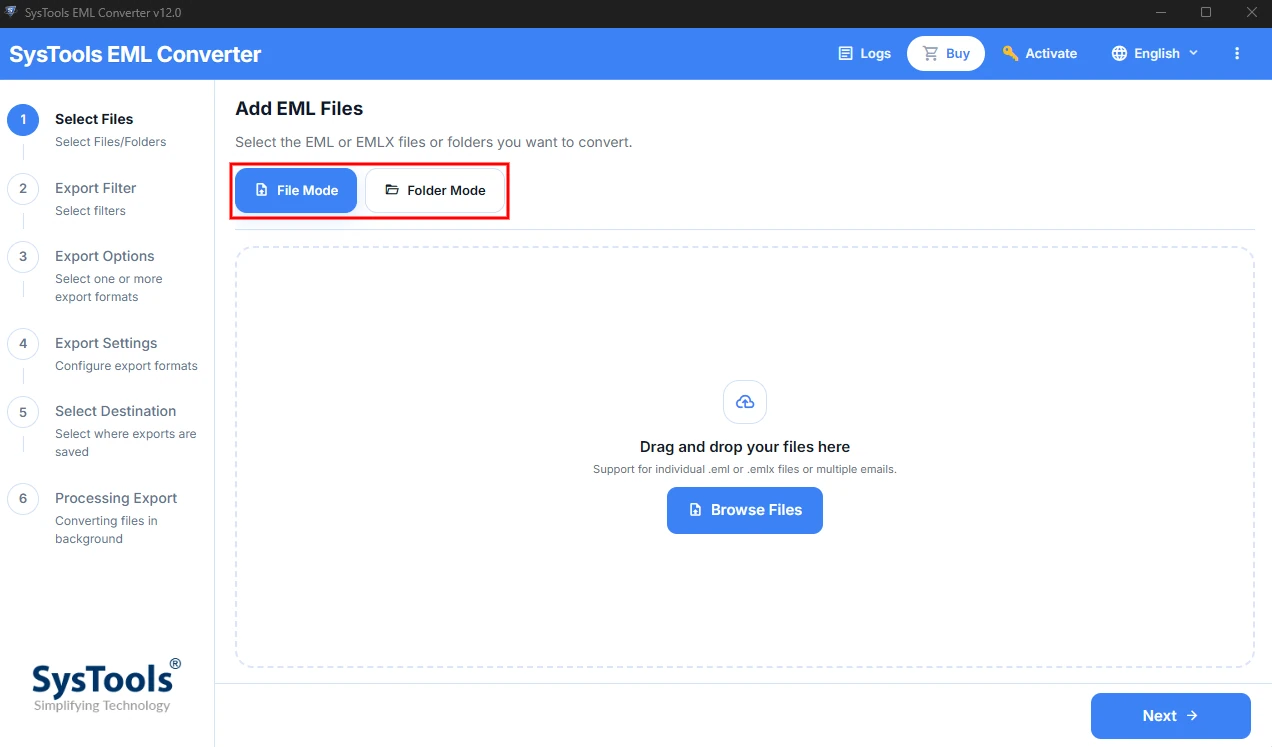
Tool Supports to Convert Multiple EML Files at Once
Both EML and EMLX files contain images and different attachments. While converting EML file, the software also exports the images and attachments from the original emails. The properties of images and attachments are kept unaltered and exported in their original format. Use this EML Converter to export EML files of all mail client.
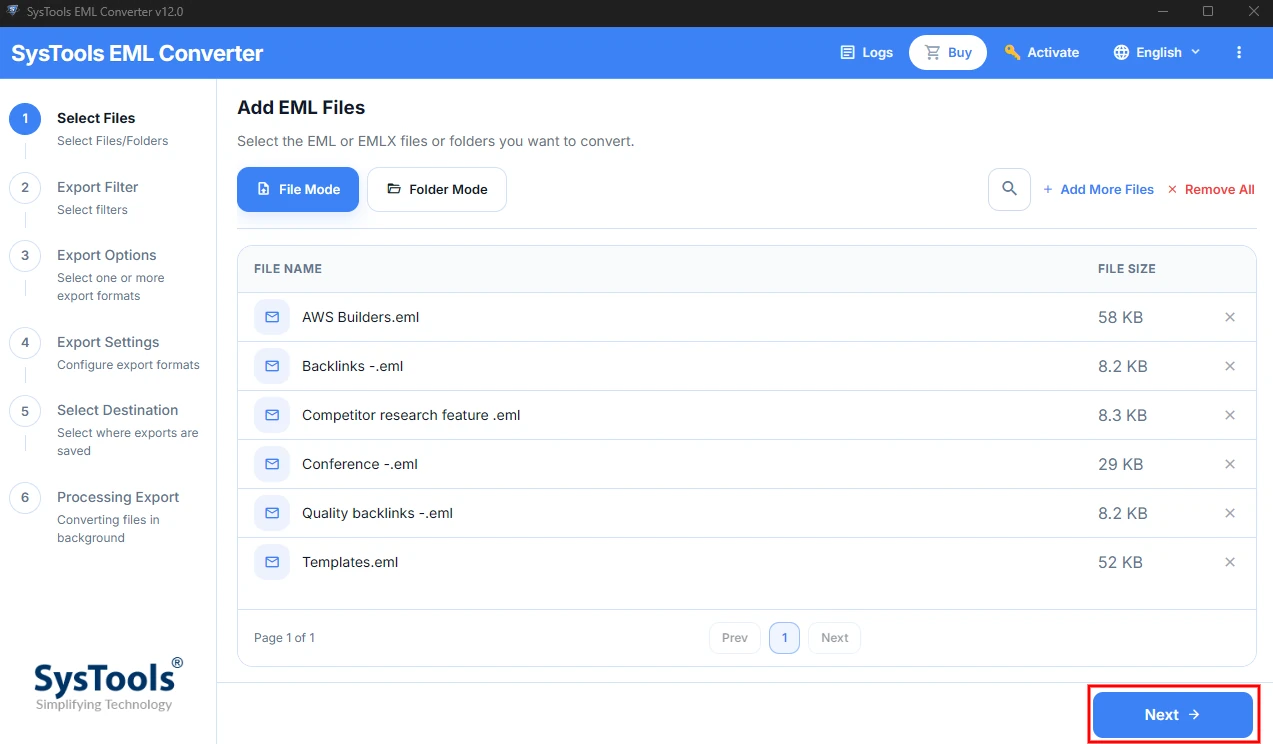
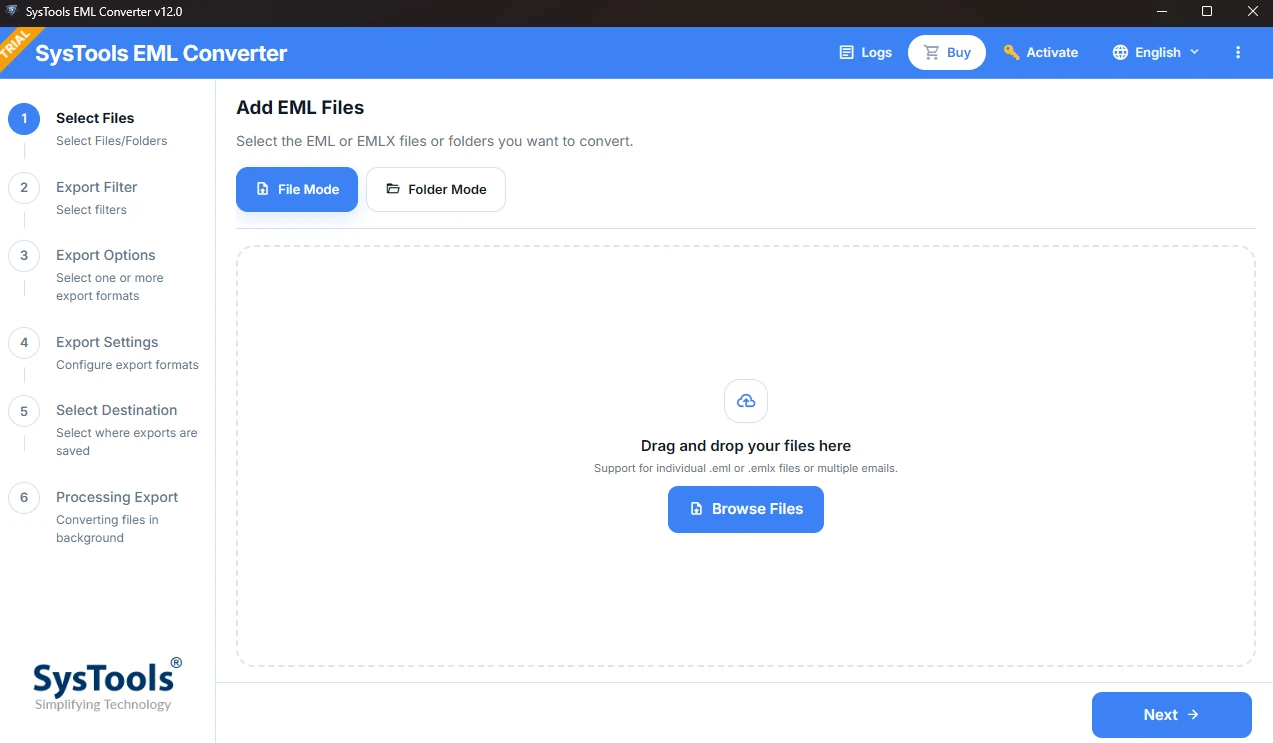
SysTools EML converter is developed with advanced algoritm and comes with easy to use interface. Technical understanding not required to run thiss software. The software allows users to convert EML files in 4 simple steps.
Watch the video and understand how a user can convert thousands of EML files without any limitation using SysTools EML converter software.
Offline vs Online EML Converter
| Factor | SysTools Offline EML Converter | Online EML Converters |
|---|---|---|
| Data Privacy | Emails never leave your computer. Nothing gets uploaded. | Every file goes to a third-party server you don't control. |
| Data Retention | No copy exists anywhere except your own system. | Files can sit on the server for hours or days. Deletion promises are hard to verify. |
| Compliance (GDPR, HIPAA, etc.) | Easier to stay compliant because data stays inside your own environment. | Uploading client, patient, or legal emails to an unknown server can break compliance rules. |
| Confidential Emails | Safe for business, legal, and financial mail. | It is not recommended use online software for sensitive emails. |
| Internet Dependency | Works offline once installed and activated. | Needs a stable connection. A dropped upload means starting over. |
| Export Options | Multiple email and document formats supported. | Typically one or two formats. |
| Support | Free 24X7 Technical Support. | Little to none. |
| File Size Limitation | Convert large EML files and whole folders in one go. | Usually capped by size or limited to a few files at a time. |
Best Tool for EMLX and EMLX Conversion in Hassle Free Way

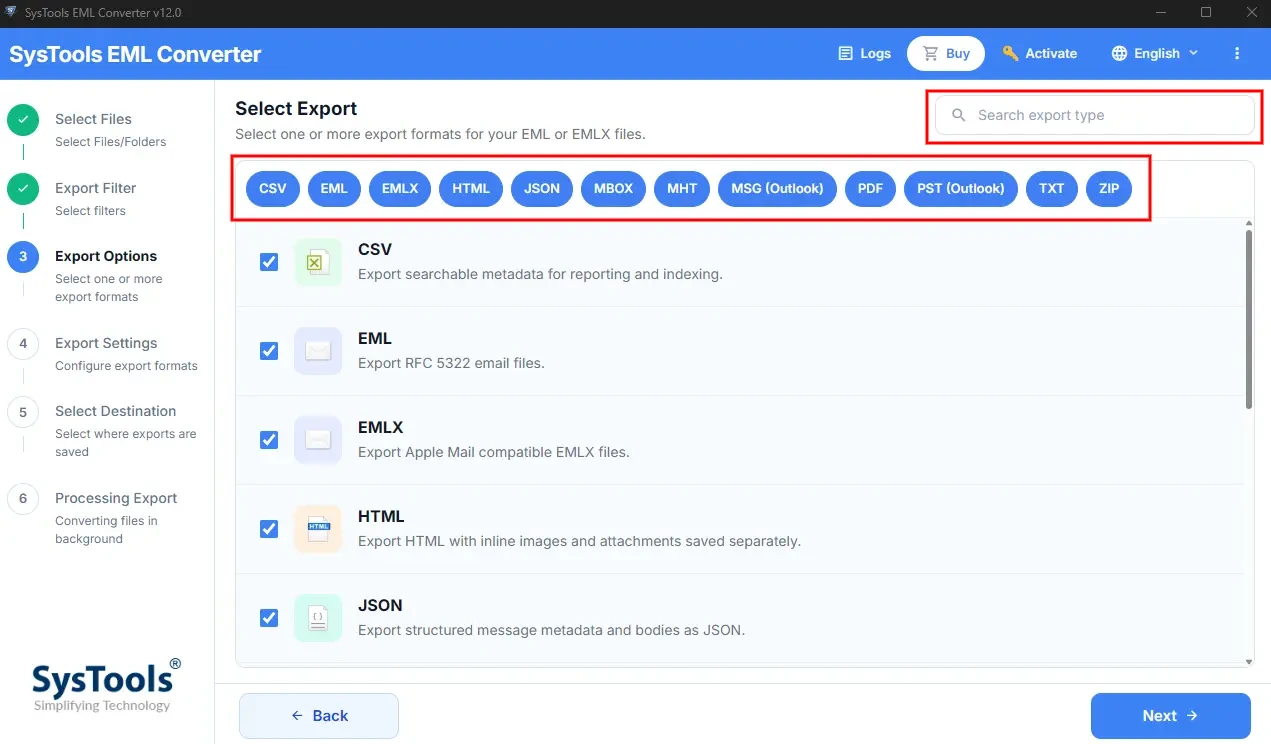
SysTools EML converter can save all EMLX and EML files into multiple file format in some quick and easy steps. After conversion the resultant files can be imported to any suitable email application to open seamlessly. EML files of any email application can be exported with the help of this converter software.

Option to Preview Data in Multiple Modes
EML converter wizard automatically scans the EML and EMLX files from the computer and loads them for the previewing. Users can select any of the files and get complete preview of the file in eight different formats like normal, Hex, MIME, HTML, attachment, etc.

Supports Selective EML File Conversion
SysTools EML converter allows users to select individual EML files from the preview section by checking the check box beside each EML file. Then, choose “Export Selected” button from the top-right corner of software UI. EML files stored in different folders will be saved as selected export file type.

Date Filter Option for Selective Conversion
SysTools EML converter also offers the feature of date based filtering. To apply this advanced level setting, users need to enter dates in “To” and “From” fields. Then the application will convert only the emails that were sent within the provided date range. This option will save the time and storage space of the user while converting EML files.

Save Exported Data in Chosen Location
EML converter provides the option to choose the target destination location to save the converted EML file. Users can select any folder of their computer and also create a new folder from the tool interface to save the data. The program also generates an export report that can be saved for future usage. So, it is the perfect way for EML conversion.

All Windows OS Compatibility
EML converter software is the utility which is fully compatible with Windows OS run computers and laptops. This application can be operated on any computer with Windows OS, including the latest Windows versions like Windows 11, Windows 10, Windows 8.1, Windows 7, etc.

24X7 Technical Support Available
SysTools provides round the clock technical support. If you are facing any issue while using this software. The connect with our support team via email, telephone, or live chat option. We are committed to provide high end after sale service.

Windows Explorer Feature to Add EML File
SysTools EML converter comes woth simple user interface of this with self explanatory. Simply follow the UI instructions to add EML files into the software panel. After this, simply choose preview mode and videw data. Use can verify UI by using free EML file converter demo version.
Simultaneously Export in All Formats
SysTools EML Converter allows users to Load EML files and then tick every output option you need. The software will processes them all in the same run. When it finishes, your data is waiting in each selected output. Less clicking, less waiting.
Improved Conversion Speed
SysTools EML converter comes with enhanced speed. Big EML collections don’t drag it down. It uses less memory while converting EML files. It stays stable even on huge folders. Start the conversion process in few simple steps. Verify the detailed report.
Use Free Trial Version to Test Software Working and Installation
(Windows OS)
| Name: | SysTools EML Converter |
| Version: | 12.0 |
| Size: | 163.88 MB |
| MD5: | 962729c4d90c3f7e11b55a2233fae56c |
| Free Version: | Download for Windows |
(Mac OS)
| SysTools Mac EML Converter |
| 9.3 |
| 156.97 MB |
| 7f147450fe5ae6e0d6b921e9178c598b |
| Download for Mac |
Trial Limitations: |
(Windows) Free Demo Version of EML converter for Windows supports to convert only 10 items per folder of EMLX / EML files into multiple formats. |
(Mac) EML Converter for Mac Software supports to convert only 10 items per selected folder. |
| (Windows) | (Mac) | |
| Hard Disk Space: | 100 MB of free hard disk space required | 100 MB of free hard disk space required |
| RAM: | 4 GB of RAM (4 GB is recommended) | 4 GB of RAM (4 GB is recommended) |
| Processor: | Intel® Core™ 2 Duo CPU E4600 @ 2.40GHz 2.39GHz | Mac Computer with Intel Processor Mac Computer with Apple Silicon (Apple M1) |
Platforms: |
(Windows) Windows 11 (64 bit), 10, 8, 7 (32 bit or 64 bit) & Windows Server 2019, 2016, 2012 R2, 2008 Compatible with Microsoft Outlook 2000, 2003, 2007, 2010, 2013, 2016, 2019, 2021 (32/64 bit) |
(Mac) MacOS X 10.8 (Mountain Lion), MacOS X 10.9(Mavericks), MacOS X 10.10 (Yosemite), MacOS X 10.11 (El Capitan), MacOS X 10.12 (Sierra), MacOS X 10.13 (High Sierra), MacOS X 10.14 (Mojave), MacOS X 10.15 (Catalina), MacOS X 11.0 (Big Sur), MacOS X 12.0 (Monterey), MacOS X 13.0 (Ventura), MacOS X 14.0 (Sonoma), MacOS X 15.0 (Sequoia) and above versions. |
Application Pre-Requisites: |
(Windows)
|
(Mac) |
Product Guide: |
(Windows) |
(Mac) |
User Control

FAQs


Electronic Delivery


Get an Overview of EML File Converter – Free and Full Version
| Features | Free Version | Full Version |
|---|---|---|
| Add EML and EMLX Files Simultaneously | ||
| Preview EML / EMLX Files Data in Preview Panel | ||
| View Emails with Attachments and Convert EML File | ||
| Apply Naming Conventions Before Conversion | ||
| Maintain Folder Hierarchy After Conversion | ||
| Apply Date Filter for Selected EML Conversion | ||
| Windows 11 (64 bit), Windows 10 and Below Version Supported | ||
| Export EMLX / EML into Different File Format | 10 Items / Selected Folder | All Items |
| Export EML Files in Bulk | 10 Items Folder | All Items |
| Convert EML Files of All Mail Client | 10 Items / Selected Folder | All Items |
| Cost | FREE | $39 |
Most Common Queries Related to EML Conversion Process
| Question | Answer |
|---|---|
Q:
How Can I Use this Software to Convert EML Files in Bulk? |
4 Steps to Use EML File Converter on Windows System:
|
Q:
Can this application convert EMLX files tool? |
Yes, this software can easily convert EMLX files along with EML files. |
Q:
Is it possible to convert EML files and use in Thunderbird? |
Yes, the tool supports to convert EML and EMLX files created in all email clients. |
Q:
What is the maximum size of EML file that can be converted? |
There is no size limitation for EML files, So users can convert EML files of any size. |
Q:
Can I use this EML Converter Software on Mac OS? |
Yes, SysTools provides separate software for Mac OS users. Simply download the software from Mac EML converter download button. |
Q:
How to open the File After Performing EML Conversion? |
Users can import the exported files on any supported emails clients. |
Q:
Does this software allow selective EML File conversion? |
Yes, SysTools EML converter software allows users to convert selective EMLX / EML files by using date filter or choosing individual files from preview section. |